Embed Facebook Profile on Your Website | No-Code Widget
Embed your Facebook profile the easy way
Display your latest posts in a clean, auto-updating Facebook profile feed.














The easiest way to embed your Facebook profile on your site
The easiest way to embed your Facebook profile on your site

Showcase your latest Facebook posts automatically
Display your most recent Facebook profile posts in a clean, auto-updating feed. Share updates, promotions, tips, or behind-the-scenes content directly on your website to keep your visitors engaged and informed.
Showcase your latest Facebook posts automatically
Display your most recent Facebook profile posts in a clean, auto-updating feed. Share updates, promotions, tips, or behind-the-scenes content directly on your website to keep your visitors engaged and informed.
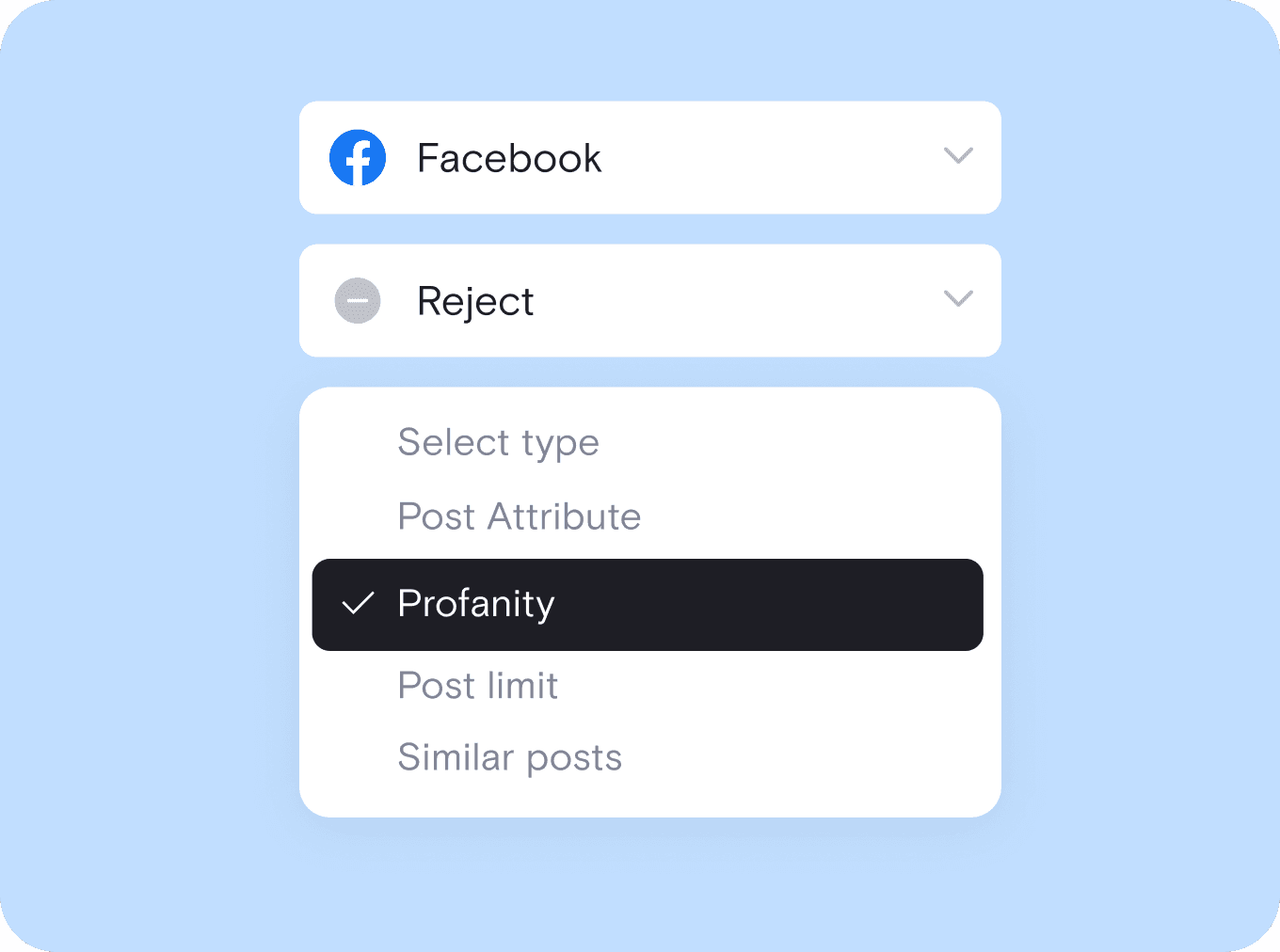
Filter and approve content before it goes live
Use smart moderation tools to keep your Facebook feed clean and on-brand. Block posts with certain keywords or manually approve what gets published. You stay in control of everything that appears on your site.
Filter and approve content before it goes live
Use smart moderation tools to keep your Facebook feed clean and on-brand. Block posts with certain keywords or manually approve what gets published. You stay in control of everything that appears on your site.
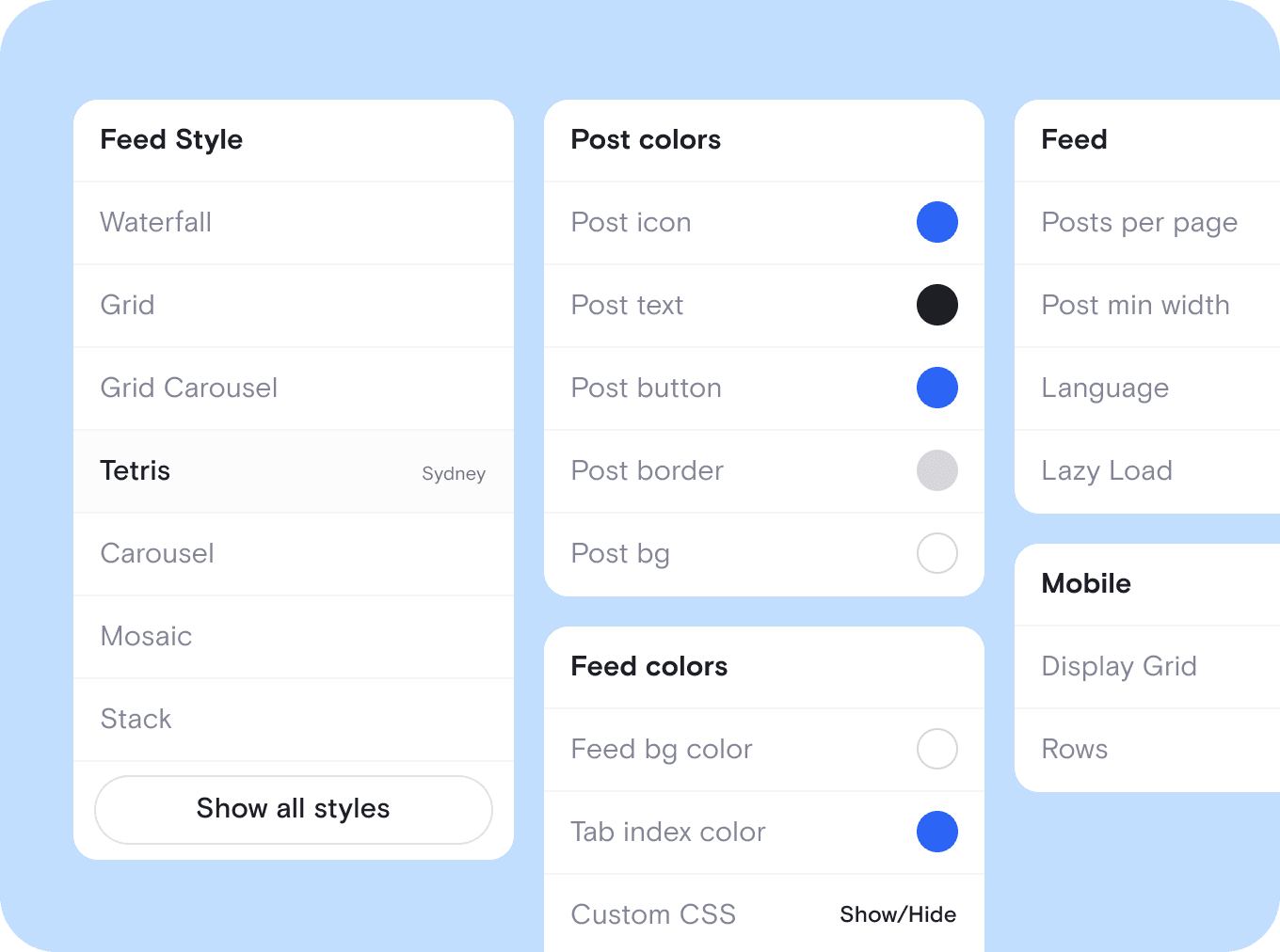
Customize your Facebook profile widget to match your brand
Choose from over 20 layout templates and personalize fonts, colors, spacing, and more. You can also apply custom CSS to make your embedded feed look like a natural part of your website.
Customize your Facebook profile widget to match your brand
Choose from over 20 layout templates and personalize fonts, colors, spacing, and more. You can also apply custom CSS to make your embedded feed look like a natural part of your website.
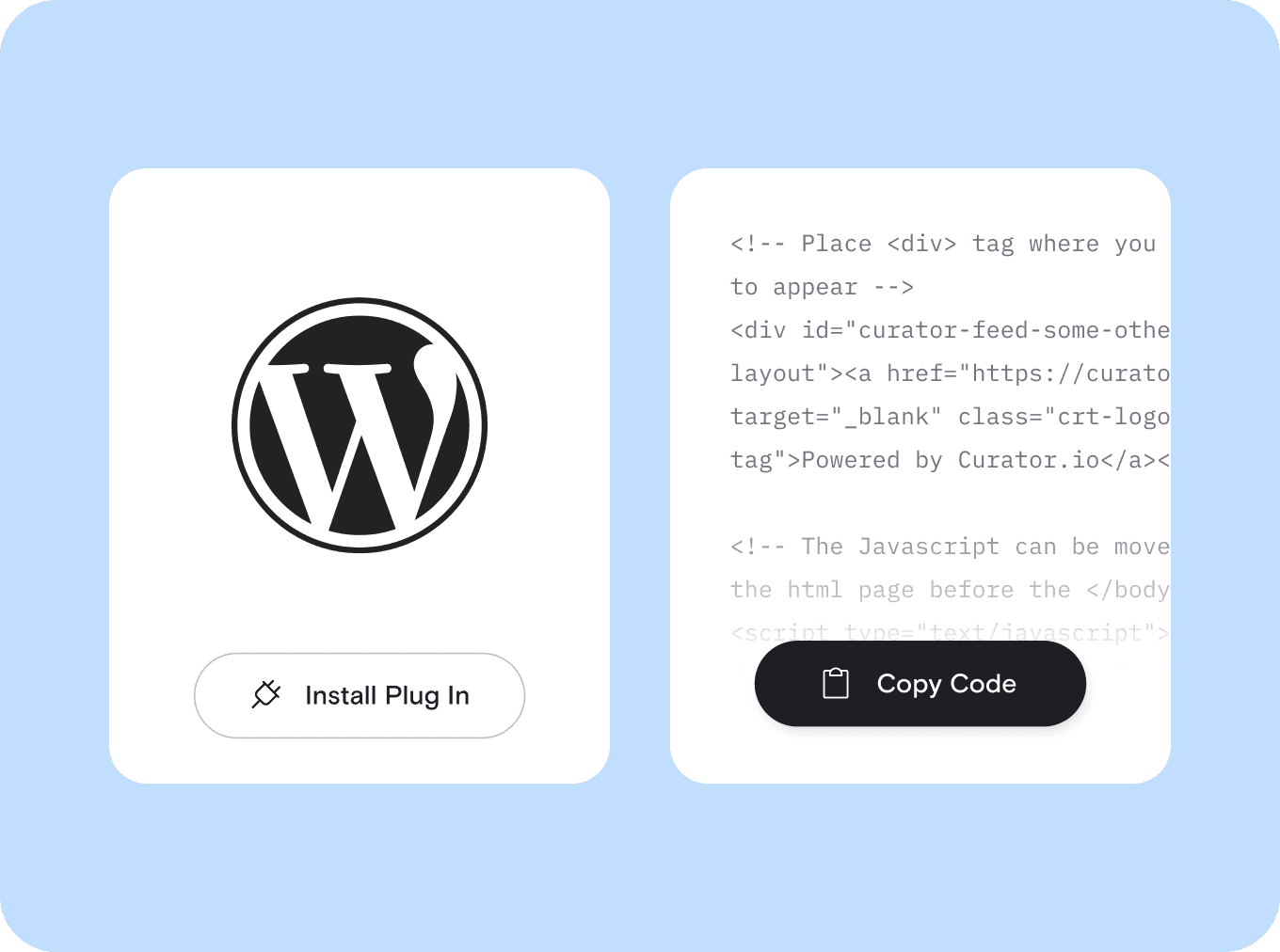
Add your Facebook profile feed to any site in seconds
Once your feed is ready, just copy and paste the embed code wherever you want it to appear. It works on WordPress, Shopify, Wix, Webflow, and all major platforms with no plugins or tech skills needed.
Add your Facebook profile feed to any site in seconds
Once your feed is ready, just copy and paste the embed code wherever you want it to appear. It works on WordPress, Shopify, Wix, Webflow, and all major platforms with no plugins or tech skills needed.

We chose Curator based on their highly competitive pricing and incredible interface. Not only that, their team gave 110% in helping craft the solution for our project.
Steve Crombie
CEO, Totem

Curator is a wonderfully easy tool to use, with a clear and intuitive interface. The pricing is extremely competitive and the customer service second to none!
Karen Murphy
Public Relations Manager, Unstudio

We've been working Curator.io for a some time now to be integrated into our social wall solution offering. The team's been cooperative and responsive to deal with.
Mike Vasavada
Director, Mobiddiction
We chose Curator based on their highly competitive pricing and incredible interface. Not only that, their team gave 110% in helping craft the solution for our project.
Steve Crombie
CEO, Totem
Curator is a wonderfully easy tool to use, with a clear and intuitive interface. The pricing is extremely competitive and the customer service second to none!
Karen Murphy
Public Relations Manager, Unstudio
We've been working Curator.io for a some time now to be integrated into our social wall solution offering. The team's been cooperative and responsive to deal with.
Mike Vasavada
Director, Mobiddiction
We chose Curator based on their highly competitive pricing and incredible interface. Not only that, their team gave 110% in helping craft the solution for our project.
Steve Crombie
CEO, Totem
Curator is a wonderfully easy tool to use, with a clear and intuitive interface. The pricing is extremely competitive and the customer service second to none!
Karen Murphy
Public Relations Manager, Unstudio
We've been working Curator.io for a some time now to be integrated into our social wall solution offering. The team's been cooperative and responsive to deal with.
Mike Vasavada
Director, Mobiddiction
Smart tools to get more out of your Facebook profile feed
" height="23px" id="s6FSESjW0" transform="translate(0.5 0.5)" width="23px"/></svg>)
Pin featured Facebook posts
Keep your best content at the top of your feed. Pin posts that showcase promotions, news, or customer wins so they’re always front and center.
Pin featured Facebook posts
Keep your best content at the top of your feed. Pin posts that showcase promotions, news, or customer wins so they’re always front and center.
" transform="translate(2.088 0.612)" width="19.79009217391305px"/><path d="M 0 5.397 L 0 0" fill="transparent" height="5.397281739130434px" id="cSiaW2bEb" stroke-dasharray="" stroke-linecap="round" stroke-linejoin="round" stroke-width="1.04" stroke="rgb(0, 0, 0)" transform="translate(11.983 0.612)" width="1px"/><path d="M 0 0 L 0 5.397" fill="transparent" height="5.397286956521739px" id="fAZD3Lukn" stroke-dasharray="" stroke-linecap="round" stroke-linejoin="round" stroke-width="1.04" stroke="rgb(0, 0, 0)" transform="translate(11.983 17.703)" width="1px"/><path d="M 0 0 L 4.498 2.699" fill="transparent" height="2.698643478260868px" id="wogXzZ2R_" stroke-dasharray="" stroke-linecap="round" stroke-linejoin="round" stroke-width="1.04" stroke="rgb(0, 0, 0)" transform="translate(17.38 15.005)" width="4.497756521739129px"/><path d="M 0 2.699 L 4.498 0" fill="transparent" height="2.6986434782608697px" id="dKhXw3dXu" stroke-dasharray="" stroke-linecap="round" stroke-linejoin="round" stroke-width="1.04" stroke="rgb(0, 0, 0)" transform="translate(17.38 6.009)" width="4.497756521739129px"/><path d="M 4.498 2.699 L 0 0" fill="transparent" height="2.6986434782608697px" id="rCgIcyxBJ" stroke-dasharray="" stroke-linecap="round" stroke-linejoin="round" stroke-width="1.04" stroke="rgb(0, 0, 0)" transform="translate(2.088 6.009)" width="4.497746086956518px"/><path d="M 4.498 0 L 0 2.699" fill="transparent" height="2.698643478260868px" id="jMCrs5EEk" stroke-dasharray="" stroke-linecap="round" stroke-linejoin="round" stroke-width="1.04" stroke="rgb(0, 0, 0)" transform="translate(2.088 15.005)" width="4.497746086956518px"/><path d="M 5.397 0 L 0 2.699 L 0 8.996 L 5.397 11.694 L 10.795 8.996 L 10.795 2.699 Z" fill="transparent" height="11.69415652173913px" id="HKWphPAOO" stroke-dasharray="" stroke-linecap="round" stroke-linejoin="round" stroke-width="1.04" stroke="rgb(0, 0, 0)" transform="translate(6.586 6.009)" width="10.79457913043479px"/></svg>)
Tweak post captions
Edit Facebook post captions directly inside the dashboard. Fix typos or add helpful context so your embedded content looks polished and clear.
Tweak post captions
Edit Facebook post captions directly inside the dashboard. Fix typos or add helpful context so your embedded content looks polished and clear.
" transform="translate(4.524 6.6)" width="10.40000952380953px"/><path d="M 0.912 0 L 0.011 3.722 C -0.018 3.817 0.011 3.924 0.088 4.001 L 0.088 4 C 0.16 4.072 0.266 4.101 0.367 4.078 L 4.086 3.187" fill="transparent" height="4.085720891021509px" id="BH5OPxkdQ" stroke-dasharray="" stroke-linecap="round" stroke-linejoin="round" stroke-width="0.76" stroke="rgb(0, 0, 0)" transform="translate(2.667 14.771)" width="4.0857136326079075px"/><path d="M 4.4 1.746 L 3.104 0.448 C 2.508 -0.149 1.547 -0.149 0.955 0.447 L 0.091 1.306 L 0.091 1.306 C -0.03 1.421 -0.03 1.616 0.091 1.732 L 3.103 4.742 C 3.218 4.858 3.413 4.858 3.529 4.742 L 4.387 3.877 L 4.386 3.877 C 4.976 3.28 4.976 2.317 4.386 1.726 Z" fill="transparent" height="4.828583838707923px" id="JBrASk_xb" stroke-dasharray="" stroke-linecap="round" stroke-linejoin="round" stroke-width="0.76" stroke="rgb(0, 0, 0)" transform="translate(12.695 4)" width="4.828561904761912px"/><path d="M 0 0 L 16 0" fill="transparent" height="1px" id="Qzu4QEKbb" stroke-dasharray="" stroke-linecap="round" stroke-linejoin="round" stroke-width="0.76" stroke="rgb(0, 0, 0)" transform="translate(2.286 21.904)" width="16px"/></svg>)
Add custom posts anytime
Upload posts that don’t exist on Facebook. Add testimonials, team updates, or behind-the-scenes content to build trust and personalize your feed.
Add custom posts anytime
Upload posts that don’t exist on Facebook. Add testimonials, team updates, or behind-the-scenes content to build trust and personalize your feed.
" height="24px" id="MhNrvLAaf" width="24px"/></svg>)
Link posts to product pages
Turn post clicks into conversions. Link each Facebook post to a service page, product, or signup form to guide visitors toward action.
Link posts to product pages
Turn post clicks into conversions. Link each Facebook post to a service page, product, or signup form to guide visitors toward action.
" height="16.39543127592071px" id="g6HrY3UER" transform="translate(0 5.5)" width="23.518432919232858px"/><path d="M 0.278 7.013 C 0.577 7.227 0.993 7.158 1.207 6.858 L 3.264 3.974 L 8.415 3.974 L 6.889 5.505 C 6.629 5.764 6.629 6.186 6.889 6.445 C 7.149 6.705 7.57 6.705 7.83 6.445 L 10.492 3.783 C 10.752 3.523 10.752 3.102 10.492 2.842 L 7.83 0.18 C 7.568 -0.066 7.158 -0.059 6.904 0.195 C 6.65 0.449 6.643 0.859 6.889 1.121 L 8.415 2.647 L 2.922 2.647 C 2.707 2.647 2.505 2.751 2.38 2.925 L 0.124 6.086 C -0.089 6.385 -0.021 6.8 0.278 7.014 Z" fill="rgb(0, 0, 0)" height="7.1373930417396405px" id="exy879PVw" transform="translate(13 3)" width="10.686885037495795px"/><path d="M 9.521 0.124 C 9.222 -0.09 8.807 -0.02 8.593 0.279 L 6.534 3.159 L 0.666 3.159 C 0.298 3.159 0 3.457 0 3.824 C 0 4.192 0.298 4.49 0.666 4.49 L 6.877 4.49 C 7.092 4.49 7.293 4.386 7.418 4.212 L 9.675 1.051 C 9.888 0.752 9.819 0.337 9.521 0.124 Z" fill="rgb(0, 0, 0)" height="4.4900455077192305px" id="EEqdQl7oJ" transform="translate(0 15)" width="9.798419889665297px"/></svg>)
Choose what each post shows
Show or hide captions, dates, and your Page name on every post. Keep the details that matter and drop the ones that add clutter.
Choose what each post shows
Show or hide captions, dates, and your Page name on every post. Keep the details that matter and drop the ones that add clutter.
" transform="translate(5.206 19.581)" width="13.1457962264151px"/><path d="M 2.264 22.834 C 1.014 22.834 0 21.82 0 20.569 L 0 2.264 C 0 1.014 1.014 0 2.264 0 L 11.787 0 C 13.038 0 14.051 1.014 14.051 2.264 L 14.051 20.569 C 14.051 21.82 13.038 22.834 11.787 22.834 Z" fill="transparent" height="22.8336px" id="e6LnYOsGS" stroke-dasharray="" stroke-linecap="round" stroke-linejoin="round" stroke-width="0.91" stroke="rgb(0, 0, 0)" transform="translate(5.192 0.714)" width="14.05145660377359px"/><path d="M 0 2.196 L 2.196 4.391 L 6.587 0" fill="transparent" height="4.391094339622642px" id="YPcK3GXnE" stroke-dasharray="" stroke-linecap="round" stroke-linejoin="round" stroke-width="0.91" stroke="rgb(0, 0, 0)" transform="translate(8.791 8.618)" width="6.586600754716983px"/></svg>)
Keep it fast and mobile-friendly
Our widget uses lightweight code that loads fast on all devices. Your Facebook feed will always look great without slowing down your site.
Keep it fast and mobile-friendly
Our widget uses lightweight code that loads fast on all devices. Your Facebook feed will always look great without slowing down your site.
Questions? We got answers!
How much does it cost to embed a Facebook profile on my website?
It depends on how many page views your site gets and whether you want to remove Curator branding. You can start for free with up to 2,000 monthly views. Paid plans unlock higher limits, faster updates, and optional branding removal as your site grows.

How much does it cost to embed a Facebook profile on my website?
It depends on how many page views your site gets and whether you want to remove Curator branding. You can start for free with up to 2,000 monthly views. Paid plans unlock higher limits, faster updates, and optional branding removal as your site grows.
Is Curator free?
Yes, Curator offers a free plan to help you get started. You can embed a social media feed, including a Facebook profile, with basic features and limited monthly views. You can upgrade anytime if you need more sources, faster updates, or higher view limits.
Is Curator free?
Yes, Curator offers a free plan to help you get started. You can embed a social media feed, including a Facebook profile, with basic features and limited monthly views. You can upgrade anytime if you need more sources, faster updates, or higher view limits.
How do I embed a Facebook profile feed into my site?
Embedding a Facebook profile feed is simple. Using our integration, connect the Facebook Page you manage in the Curator dashboard, choose a layout, and customize the design. Then copy the embed code and paste it into any page on your website. Your feed will appear instantly and update automatically with new posts.
How do I embed a Facebook profile feed into my site?
Embedding a Facebook profile feed is simple. Using our integration, connect the Facebook Page you manage in the Curator dashboard, choose a layout, and customize the design. Then copy the embed code and paste it into any page on your website. Your feed will appear instantly and update automatically with new posts.
What types of Facebook content can I display from my profile?
You can display public posts from your Facebook Page, including text updates, images, videos, and links. Curator automatically pulls your latest content to keep your website fresh, engaging, and always in sync with your Facebook activity.
What types of Facebook content can I display from my profile?
You can display public posts from your Facebook Page, including text updates, images, videos, and links. Curator automatically pulls your latest content to keep your website fresh, engaging, and always in sync with your Facebook activity.
Will my Facebook profile feed update automatically?
Yes, your Facebook profile feed updates automatically based on your plan. You can choose auto-approval to publish posts instantly or manual moderation to review each one before it goes live. Either way, your website always shows your most recent content.
Will my Facebook profile feed update automatically?
Yes, your Facebook profile feed updates automatically based on your plan. You can choose auto-approval to publish posts instantly or manual moderation to review each one before it goes live. Either way, your website always shows your most recent content.
Can I customize the design of my Facebook profile widget?
Yes, you can fully customize the design of your Facebook profile widget. Choose from 20+ templates and adjust colors, fonts, spacing, and borders to match your site. For complete control, you can also use custom CSS to create a perfect visual fit for your brand.
Can I customize the design of my Facebook profile widget?
Yes, you can fully customize the design of your Facebook profile widget. Choose from 20+ templates and adjust colors, fonts, spacing, and borders to match your site. For complete control, you can also use custom CSS to create a perfect visual fit for your brand.
Can I control which Facebook posts appear on my website?
Yes, you can control which Facebook posts appear on your site. Use filters to block certain keywords or switch to manual approval to review each post before it goes live. This helps you keep your feed clean and on-brand.
Can I control which Facebook posts appear on my website?
Yes, you can control which Facebook posts appear on your site. Use filters to block certain keywords or switch to manual approval to review each post before it goes live. This helps you keep your feed clean and on-brand.
Is the Facebook widget responsive and mobile-friendly?
Yes, the Facebook widget is fully responsive and works great on all devices. It automatically adjusts to fit phones, tablets, and desktops so your feed always looks clean, professional, and easy to navigate.
Is the Facebook widget responsive and mobile-friendly?
Yes, the Facebook widget is fully responsive and works great on all devices. It automatically adjusts to fit phones, tablets, and desktops so your feed always looks clean, professional, and easy to navigate.
Generous free plan
Start embedding your Facebook profile feed at no cost. When you're ready for more views, sources, or faster refresh rates, upgrading is easy and affordable.
No tech skills needed
Anyone can embed a Facebook feed with Curator. Just connect your account, choose a template, customize your design, and paste the code into your site.
Trusted on 100,000+ websites
Over 100,000 websites already display their social content with Curator. It slots into WordPress, Squarespace, Shopify, Webflow, or a custom build with one embed code.
Generous free plan
Start embedding your Facebook profile feed at no cost. When you're ready for more views, sources, or faster refresh rates, upgrading is easy and affordable.
No tech skills needed
Anyone can embed a Facebook feed with Curator. Just connect your account, choose a template, customize your design, and paste the code into your site.
Trusted on 100,000+ websites
Over 100,000 websites already display their social content with Curator. It slots into WordPress, Squarespace, Shopify, Webflow, or a custom build with one embed code.
Generous free plan
Start embedding your Facebook profile feed at no cost. When you're ready for more views, sources, or faster refresh rates, upgrading is easy and affordable.
No tech skills needed
Anyone can embed a Facebook feed with Curator. Just connect your account, choose a template, customize your design, and paste the code into your site.
Trusted on 100,000+ websites
Over 100,000 websites already display their social content with Curator. It slots into WordPress, Squarespace, Shopify, Webflow, or a custom build with one embed code.
Generous free plan
Start embedding your Facebook profile feed at no cost. When you're ready for more views, sources, or faster refresh rates, upgrading is easy and affordable.
No tech skills needed
Anyone can embed a Facebook feed with Curator. Just connect your account, choose a template, customize your design, and paste the code into your site.
Trusted on 100,000+ websites
Over 100,000 websites already display their social content with Curator. It slots into WordPress, Squarespace, Shopify, Webflow, or a custom build with one embed code.
Bring your Facebook profile to your site today
Bring your Facebook profile to your site today
Fast to set up, easy to customize, and always up to date.