Embed Google Reviews
Embed Google reviews on your website in 3 steps
Embed Google reviews on your website in 3 steps
Connect your Google Business Profile, approve the reviews you want, and paste a few lines of code. It works on WordPress, Squarespace, Wix, and most other site builders.














It’s easy to embed approved reviews
It’s easy to embed approved reviews
Step 1. Connect your Google Business Profile
Sign up for Curator and choose Google Reviews from the list of platforms. Search for your business by name or address. If you have more than one location, pick the one you want to show.
Step 1. Connect your Google Business Profile
Sign up for Curator and choose Google Reviews from the list of platforms. Search for your business by name or address. If you have more than one location, pick the one you want to show.
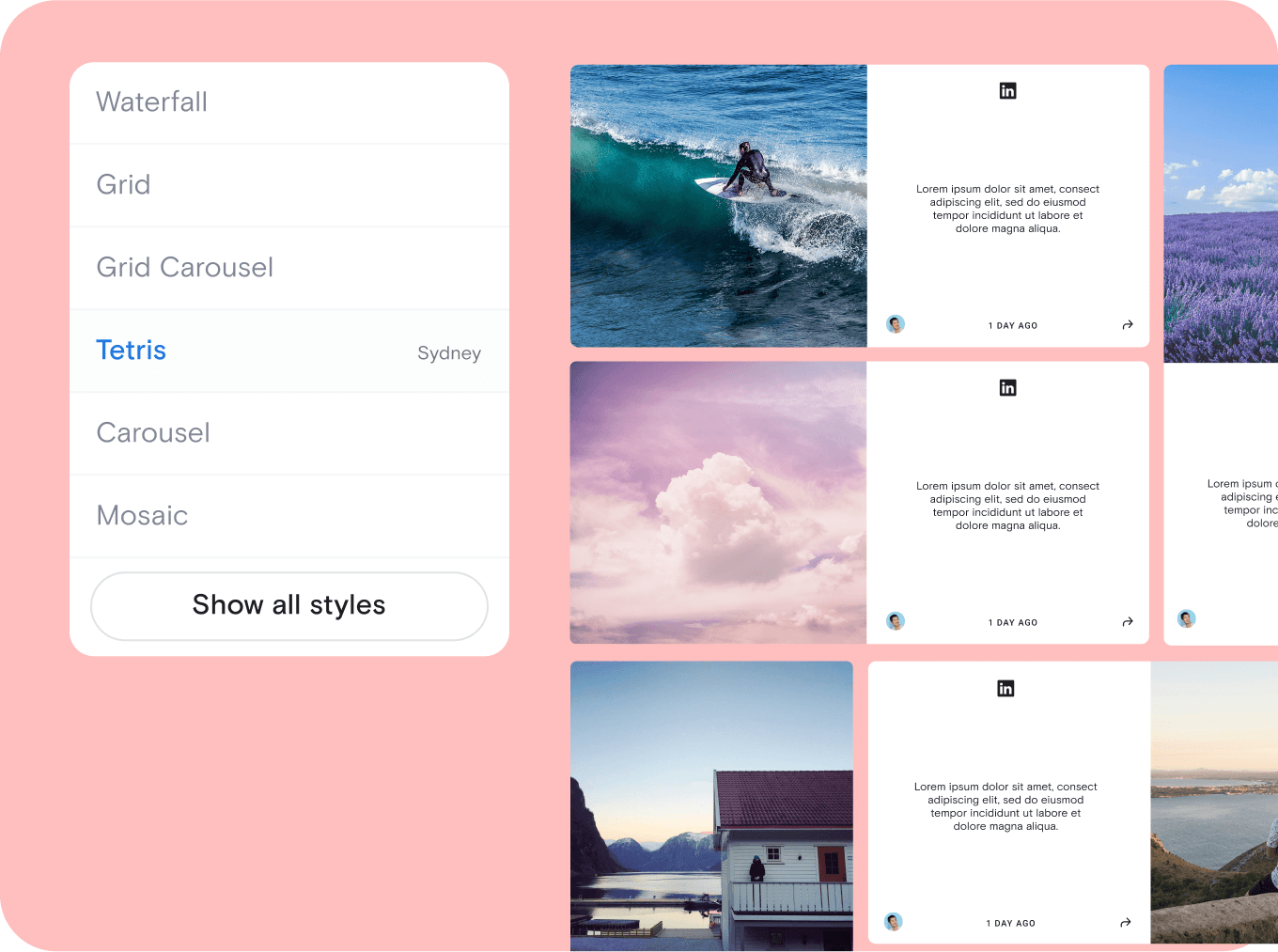
Step 2. Choose which reviews go live
Decide whether new reviews publish automatically or wait for your approval. You can also set rules, like hiding reviews that contain profanity. Either way, you can hide any review at any time.
Step 2. Choose which reviews go live
Decide whether new reviews publish automatically or wait for your approval. You can also set rules, like hiding reviews that contain profanity. Either way, you can hide any review at any time.
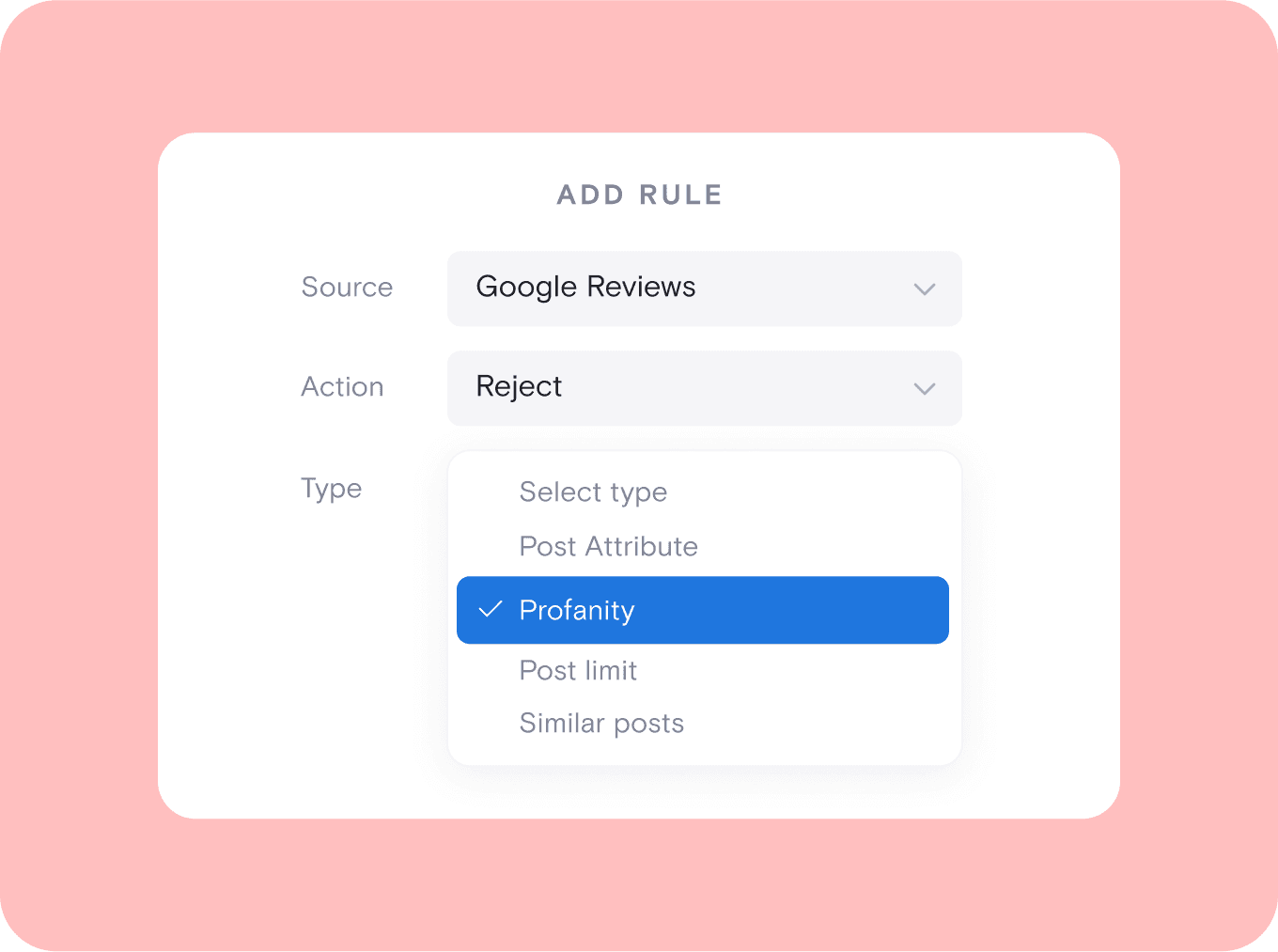
Step 3. Choose a style
Pick a template, like a carousel, grid, or list. Then adjust fonts, colors, and spacing to match your brand. You can preview your feed before anything goes live.
Step 3. Choose a style
Pick a template, like a carousel, grid, or list. Then adjust fonts, colors, and spacing to match your brand. You can preview your feed before anything goes live.
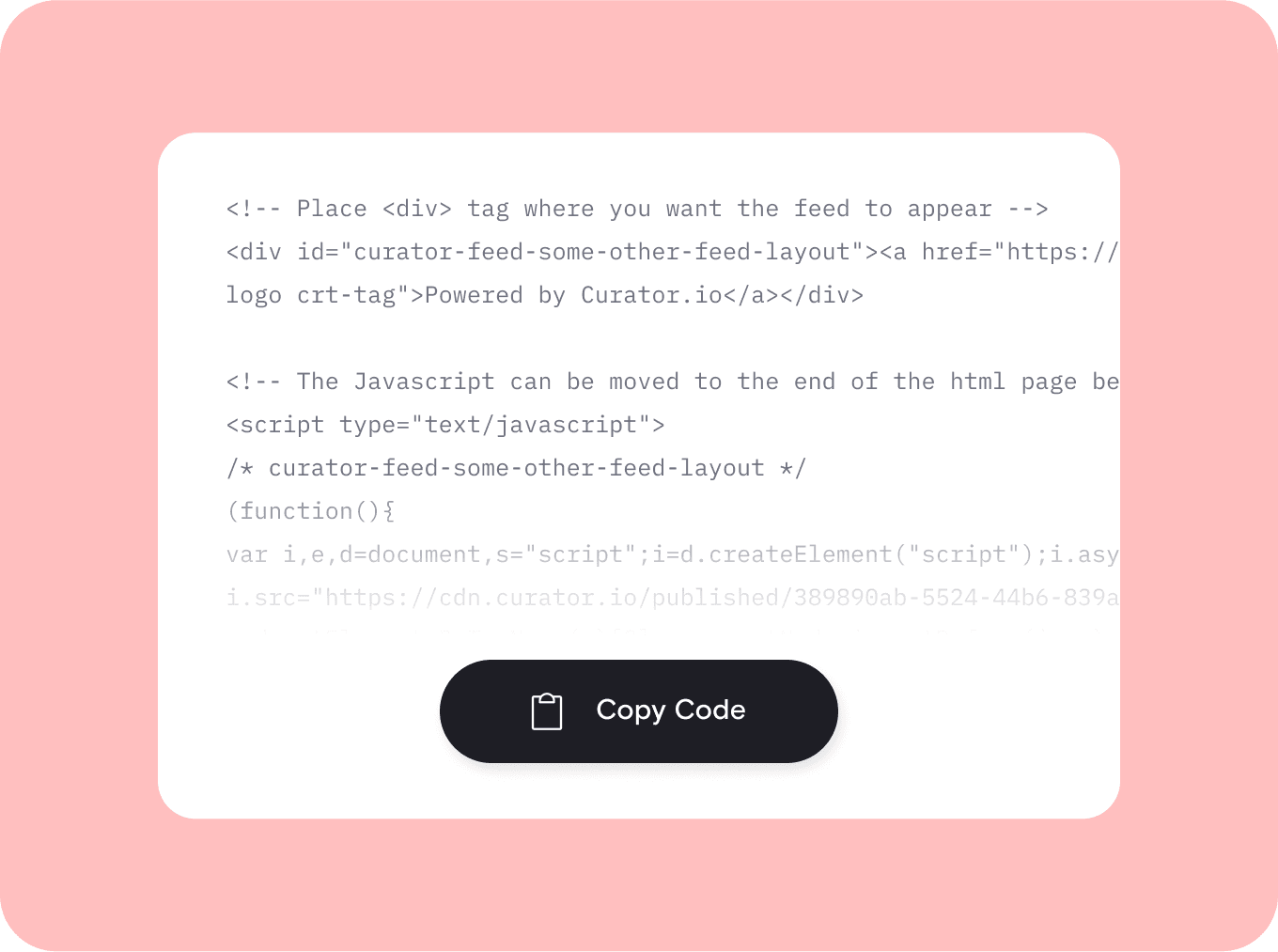
Step 4. Paste the code into your site
When your feed looks right, click Publish, then Get Code. Copy the full code and paste it wherever you want reviews, like your homepage or footer. Every major site builder has a spot for it.
Step 4. Paste the code into your site
When your feed looks right, click Publish, then Get Code. Copy the full code and paste it wherever you want reviews, like your homepage or footer. Every major site builder has a spot for it.

We chose Curator based on their highly competitive pricing and incredible interface. Not only that, their team gave 110% in helping craft the solution for our project.
Steve Crombie
CEO, Totem

Curator is a wonderfully easy tool to use, with a clear and intuitive interface. The pricing is extremely competitive and the customer service second to none!
Karen Murphy
Public Relations Manager, Unstudio

We've been working Curator.io for a some time now to be integrated into our social wall solution offering. The team's been cooperative and responsive to deal with.
Mike Vasavada
Director, Mobiddiction
We chose Curator based on their highly competitive pricing and incredible interface. Not only that, their team gave 110% in helping craft the solution for our project.
Steve Crombie
CEO, Totem
Curator is a wonderfully easy tool to use, with a clear and intuitive interface. The pricing is extremely competitive and the customer service second to none!
Karen Murphy
Public Relations Manager, Unstudio
We've been working Curator.io for a some time now to be integrated into our social wall solution offering. The team's been cooperative and responsive to deal with.
Mike Vasavada
Director, Mobiddiction
We chose Curator based on their highly competitive pricing and incredible interface. Not only that, their team gave 110% in helping craft the solution for our project.
Steve Crombie
CEO, Totem
Curator is a wonderfully easy tool to use, with a clear and intuitive interface. The pricing is extremely competitive and the customer service second to none!
Karen Murphy
Public Relations Manager, Unstudio
We've been working Curator.io for a some time now to be integrated into our social wall solution offering. The team's been cooperative and responsive to deal with.
Mike Vasavada
Director, Mobiddiction
Embed your Instagram feed with control and creativity
" height="16px" id="sbybzKMua" transform="translate(0 5)" width="24px"/></svg>)
Boost your SEO results
Embed Google reviews on your site to improve local SEO, increase keyword relevance, and build trust with search engines.
Search engines can read your reviews
Your reviews load as part of your page, so search engines can read the text.
Boost your SEO results
Embed Google reviews on your site to improve local SEO, increase keyword relevance, and build trust with search engines.
" transform="translate(18 5.6)" width="5.600000000000001px"/><path d="M 0 0 L 6 0" fill="transparent" height="1px" id="T0wHFjJDe" stroke-dasharray="" stroke-linecap="round" stroke-linejoin="round" stroke-width="0.8" stroke="rgb(0, 0, 0)" transform="translate(8 9.6)" width="6.000000000000002px"/><path d="M 0 0 L 9.2 0" fill="transparent" height="1px" id="Ol09ewnGg" stroke-dasharray="" stroke-linecap="round" stroke-linejoin="round" stroke-width="0.8" stroke="rgb(0, 0, 0)" transform="translate(8 12)" width="9.200000000000003px"/><path d="M 0 0 L 4.4 0" fill="transparent" height="1px" id="oCKj_Yy3Y" stroke-dasharray="" stroke-linecap="round" stroke-linejoin="round" stroke-width="0.8" stroke="rgb(0, 0, 0)" transform="translate(8 14.4)" width="4.400000000000002px"/><path d="M 5.598 12.8 L 0.129 6.744 C 0.088 6.699 0.056 6.646 0.033 6.587 C 0.011 6.528 0 6.465 0 6.401 C 0 6.337 0.011 6.274 0.033 6.215 C 0.056 6.156 0.088 6.103 0.129 6.058 L 5.6 0" fill="transparent" height="12.8px" id="nxYC8VJH4" stroke-dasharray="" stroke-linecap="round" stroke-linejoin="round" stroke-width="0.8" stroke="rgb(0, 0, 0)" transform="translate(0.4 5.6)" width="5.59999600000001px"/></svg>)
Enjoy lightweight code
Our streamlined widget is built for speed, minimizing load times and keeping your website performance smooth across all devices and browsers.
Lightweight code
The code is only 13 lines and loads separately from the rest of your page.
Enjoy lightweight code
Our streamlined widget is built for speed, minimizing load times and keeping your website performance smooth across all devices and browsers.
" transform="translate(5.206 19.581)" width="13.1457962264151px"/><path d="M 2.264 22.834 C 1.014 22.834 0 21.82 0 20.569 L 0 2.264 C 0 1.014 1.014 0 2.264 0 L 11.787 0 C 13.038 0 14.051 1.014 14.051 2.264 L 14.051 20.569 C 14.051 21.82 13.038 22.834 11.787 22.834 Z" fill="transparent" height="22.8336px" id="e6LnYOsGS" stroke-dasharray="" stroke-linecap="round" stroke-linejoin="round" stroke-width="0.91" stroke="rgb(0, 0, 0)" transform="translate(5.192 0.714)" width="14.05145660377359px"/><path d="M 0 2.196 L 2.196 4.391 L 6.587 0" fill="transparent" height="4.391094339622642px" id="YPcK3GXnE" stroke-dasharray="" stroke-linecap="round" stroke-linejoin="round" stroke-width="0.91" stroke="rgb(0, 0, 0)" transform="translate(8.791 8.618)" width="6.586600754716983px"/></svg>)
Launch mobile-responsive reviews
All widgets are mobile-optimized and adapt to any screen size, with layout controls to fine-tune desktop and mobile display settings.
Mobile-friendly reviews
Reviews adjust to phones, tablets, and desktops. You can also set a separate layout for mobile.
Launch mobile-responsive reviews
All widgets are mobile-optimized and adapt to any screen size, with layout controls to fine-tune desktop and mobile display settings.
" height="23px" id="s6FSESjW0" transform="translate(0.5 0.5)" width="23px"/></svg>)
Pin top reviews to your feed
Choose standout reviews and pin them to the top of your feed to highlight the most positive feedback and boost visitor confidence instantly.
Pin top reviews to your feed
Keep your strongest reviews at the top of the feed. Pinning is available on Pro and Business plans.
Pin top reviews to your feed
Choose standout reviews and pin them to the top of your feed to highlight the most positive feedback and boost visitor confidence instantly.
" transform="translate(4.524 6.6)" width="10.40000952380953px"/><path d="M 0.912 0 L 0.011 3.722 C -0.018 3.817 0.011 3.924 0.088 4.001 L 0.088 4 C 0.16 4.072 0.266 4.101 0.367 4.078 L 4.086 3.187" fill="transparent" height="4.085720891021509px" id="BH5OPxkdQ" stroke-dasharray="" stroke-linecap="round" stroke-linejoin="round" stroke-width="0.76" stroke="rgb(0, 0, 0)" transform="translate(2.667 14.771)" width="4.0857136326079075px"/><path d="M 4.4 1.746 L 3.104 0.448 C 2.508 -0.149 1.547 -0.149 0.955 0.447 L 0.091 1.306 L 0.091 1.306 C -0.03 1.421 -0.03 1.616 0.091 1.732 L 3.103 4.742 C 3.218 4.858 3.413 4.858 3.529 4.742 L 4.387 3.877 L 4.386 3.877 C 4.976 3.28 4.976 2.317 4.386 1.726 Z" fill="transparent" height="4.828583838707923px" id="JBrASk_xb" stroke-dasharray="" stroke-linecap="round" stroke-linejoin="round" stroke-width="0.76" stroke="rgb(0, 0, 0)" transform="translate(12.695 4)" width="4.828561904761912px"/><path d="M 0 0 L 16 0" fill="transparent" height="1px" id="Qzu4QEKbb" stroke-dasharray="" stroke-linecap="round" stroke-linejoin="round" stroke-width="0.76" stroke="rgb(0, 0, 0)" transform="translate(2.286 21.904)" width="16px"/></svg>)
Use advanced styling options
Customize fonts, colors, spacing, and layout settings, or try applying your own CSS for complete design control over your reviews feed.
Advanced styling
Adjust fonts, colors, and spacing. If you know CSS, you can add your own styles too. For more layout ideas, see our Google reviews widget page.
Use advanced styling options
Customize fonts, colors, spacing, and layout settings, or try applying your own CSS for complete design control over your reviews feed.
" height="24px" id="ZoLM4Kpsr" transform="translate(0.5 0)" width="24px"/></svg>)
Get notified of issues
Receive alerts for feed disconnections and daily review summaries to keep your widget running smoothly and your site experience consistent.
Alerts if your feed disconnects
Curator lets you know if your feed stops connecting. You also get a daily summary of new reviews.
Get notified of issues
Receive alerts for feed disconnections and daily review summaries to keep your widget running smoothly and your site experience consistent.
Questions? We got answers!
How do I embed Google reviews on my website?
To embed Google reviews on your website using Curator, simply sign up, connect your Google Business Profile using your Google Place ID, and customize your widget. Once set up, you’ll receive an HTML embed code. Paste it into your site’s footer, sidebar, homepage, or any landing page. The embedding process is quick and requires no coding skills, perfect for keeping your most trusted reviews visible and up to date.

How do I embed Google reviews on my website?
Follow the three steps above. Connect your Google Business Profile, approve the reviews you want, and paste the code into your site. The whole setup takes a few minutes.
How do I embed Google reviews on my website?
To embed Google reviews on your website using Curator, simply sign up, connect your Google Business Profile using your Google Place ID, and customize your widget. Once set up, you’ll receive an HTML embed code. Paste it into your site’s footer, sidebar, homepage, or any landing page. The embedding process is quick and requires no coding skills, perfect for keeping your most trusted reviews visible and up to date.
Can I customize the look of the embedded Google reviews?
Yes, you can fully customize the look of your embedded Google Business Reviews. Choose from 20+ modern templates like Grid, Carousel, or Mosaic to match your website’s layout. Use built-in styling options to adjust fonts, spacing, colors, and more, or apply your own CSS for complete design control. These options help you maintain brand consistency and enhance your online presence with a reviews feed that looks like a natural part of your site.
Can I embed Google reviews on my website?
Yes, with a tool like Curator. Google lets you share a review link, a single review, or a location map. None of these show a live set of reviews on your page. Our guide on how to add Google reviews to your website explains each free option.
Can I customize the look of the embedded Google reviews?
Yes, you can fully customize the look of your embedded Google Business Reviews. Choose from 20+ modern templates like Grid, Carousel, or Mosaic to match your website’s layout. Use built-in styling options to adjust fonts, spacing, colors, and more, or apply your own CSS for complete design control. These options help you maintain brand consistency and enhance your online presence with a reviews feed that looks like a natural part of your site.
How do I moderate the Google reviews on my website?
Moderating Google reviews with Curator is easy. After connecting via the Google API, you can apply automatic moderation rules (like filtering profanity) to screen incoming reviews. However, we recommend manual moderation for Google reviews to ensure only positive, brand-appropriate content appears on your site. While automated moderation works well for social media feeds, hand-approving reviews gives you more control over what’s displayed, helping protect your brand and maintain a strong online presence.
Can I embed Google reviews with HTML?
Yes. Curator gives you a few lines of code to paste wherever your site lets you add HTML. Most site builders have a block or element for this. You don't need to know how to code.
How do I moderate the Google reviews on my website?
Moderating Google reviews with Curator is easy. After connecting via the Google API, you can apply automatic moderation rules (like filtering profanity) to screen incoming reviews. However, we recommend manual moderation for Google reviews to ensure only positive, brand-appropriate content appears on your site. While automated moderation works well for social media feeds, hand-approving reviews gives you more control over what’s displayed, helping protect your brand and maintain a strong online presence.
How can I ensure the embedded reviews are always up-to-date?
To keep your embedded reviews up-to-date, you’ll need to manually approve them in Curator. Since we don’t recommend using automated approval for Google reviews, new feedback won’t appear on your site automatically. Instead, log in weekly or monthly to review and approve positive reviews. This extra step ensures only the most relevant and high-quality social proof is shown, keeping your brand presentation strong and your review feed fresh and trustworthy.
Where do I paste the code on my site?
In WordPress, paste it into a Custom HTML block, or use our WordPress plugin. In Squarespace, add a Code block and paste the code there. In Wix, open the Add menu, choose Embed, and add a custom code element. Shopify and Webflow both support custom code sections. On a hand-coded site, paste it into your page template. For step-by-step screenshots, see how to add Google reviews to WordPress or add Google reviews to Squarespace. Wix users can follow our guide to embed Google reviews on Wix.
How can I ensure the embedded reviews are always up-to-date?
To keep your embedded reviews up-to-date, you’ll need to manually approve them in Curator. Since we don’t recommend using automated approval for Google reviews, new feedback won’t appear on your site automatically. Instead, log in weekly or monthly to review and approve positive reviews. This extra step ensures only the most relevant and high-quality social proof is shown, keeping your brand presentation strong and your review feed fresh and trustworthy.
What should I do if I receive fake reviews on Google?
If you receive fake reviews on Google, first flag them directly in your Google Business Profile by clicking the three-dot menu next to the review and selecting "Report review." Provide a clear explanation of why it’s fake or violates Google’s policies. While Google may not remove all flagged reviews, consistent reporting helps. Additionally, use Curator’s moderation tools to block the review from appearing on your website, ensuring your embedded feed only displays authentic, brand-safe feedback.
Why aren't my embedded reviews showing?
Start with three checks. Make sure you clicked Publish in Curator before copying the code. Check that you pasted both parts of the code. Then clear your browser cache and your site's cache.
What should I do if I receive fake reviews on Google?
If you receive fake reviews on Google, first flag them directly in your Google Business Profile by clicking the three-dot menu next to the review and selecting "Report review." Provide a clear explanation of why it’s fake or violates Google’s policies. While Google may not remove all flagged reviews, consistent reporting helps. Additionally, use Curator’s moderation tools to block the review from appearing on your website, ensuring your embedded feed only displays authentic, brand-safe feedback.
Will embedded reviews update on their own?
Yes. New reviews come into your feed automatically. Free updates every 24 hours, Pro every 60 minutes, and Business every 15 minutes. You choose whether new reviews go live right away or wait for approval. The code on your site stays the same.
Will embedded reviews update on their own?
Yes. New reviews come into your feed automatically. Free updates every 24 hours, Pro every 60 minutes, and Business every 15 minutes. You choose whether new reviews go live right away or wait for approval. The code on your site stays the same.
What should I do if I receive fake reviews on Google?
Report each one in your Google Business Profile. Click the three-dot menu next to the review, then select "Report review." Google may not remove every review you report. You can still use Curator's moderation to keep fake reviews off your website.
What should I do if I receive fake reviews on Google?
Report each one in your Google Business Profile. Click the three-dot menu next to the review, then select "Report review." Google may not remove every review you report. You can still use Curator's moderation to keep fake reviews off your website.
Why aren't my embedded reviews showing?
Start with three checks. Make sure you clicked Publish in Curator before copying the code. Check that you pasted both parts of the code. Then clear your browser cache and your site's cache.
Why aren't my embedded reviews showing?
Start with three checks. Make sure you clicked Publish in Curator before copying the code. Check that you pasted both parts of the code. Then clear your browser cache and your site's cache.
Small business pricing
Choose from affordable plans designed for small businesses, with powerful features that help you showcase reviews without breaking your budget.
Instant setup process
Connect your Google Business Profile and add your review feed in just minutes—no coding skills or complicated setup required.
Multi-location management
Easily manage multiple Google Business locations and create separate review feeds for each one, all from a single Curator account.
Setup in minutes
Connect your Google Business Profile and add your reviews in a few minutes. No coding skills needed
Multi-location management
Manage several Google Business locations from one Curator account, with a separate review feed for each.
Get more with our Business plan
The Business plan shows photos from your reviews and pulls in up to 20 reviews at a time. It also checks for new reviews every 15 minutes.
Small business pricing
Choose from affordable plans designed for small businesses, with powerful features that help you showcase reviews without breaking your budget.
Instant setup process
Connect your Google Business Profile and add your review feed in just minutes—no coding skills or complicated setup required.
Multi-location management
Easily manage multiple Google Business locations and create separate review feeds for each one, all from a single Curator account.
Small business pricing
Choose from affordable plans designed for small businesses, with powerful features that help you showcase reviews without breaking your budget.
Instant setup process
Connect your Google Business Profile and add your review feed in just minutes—no coding skills or complicated setup required.
Multi-location management
Easily manage multiple Google Business locations and create separate review feeds for each one, all from a single Curator account.
Turn your best Google reviews into your strongest marketing tool
Showcase your best Google reviews
Turn your best Google reviews into your strongest marketing tool
Easily display social proof from Google My Business to build trust and attract potential customers, with just a simple widget.
Start free and have real customer reviews on your site in minutes.