Embed Your LinkedIn Profile on Your Website | No-Code Widget
Embed your LinkedIn profile on your website in minutes
Showcase your latest posts, boost credibility, and build your professional brand with an auto-updating LinkedIn profile feed.














The simplest way to embed your LinkedIn profile on your site
The simplest way to embed your LinkedIn profile on your site
Showcase content from your LinkedIn profile
Display your most recent LinkedIn posts in a live feed that updates automatically. Share thought leadership, company news, or career insights right on your website to boost credibility and keep your audience engaged with fresh content.
Showcase content from your LinkedIn profile
Display your most recent LinkedIn posts in a live feed that updates automatically. Share thought leadership, company news, or career insights right on your website to boost credibility and keep your audience engaged with fresh content.
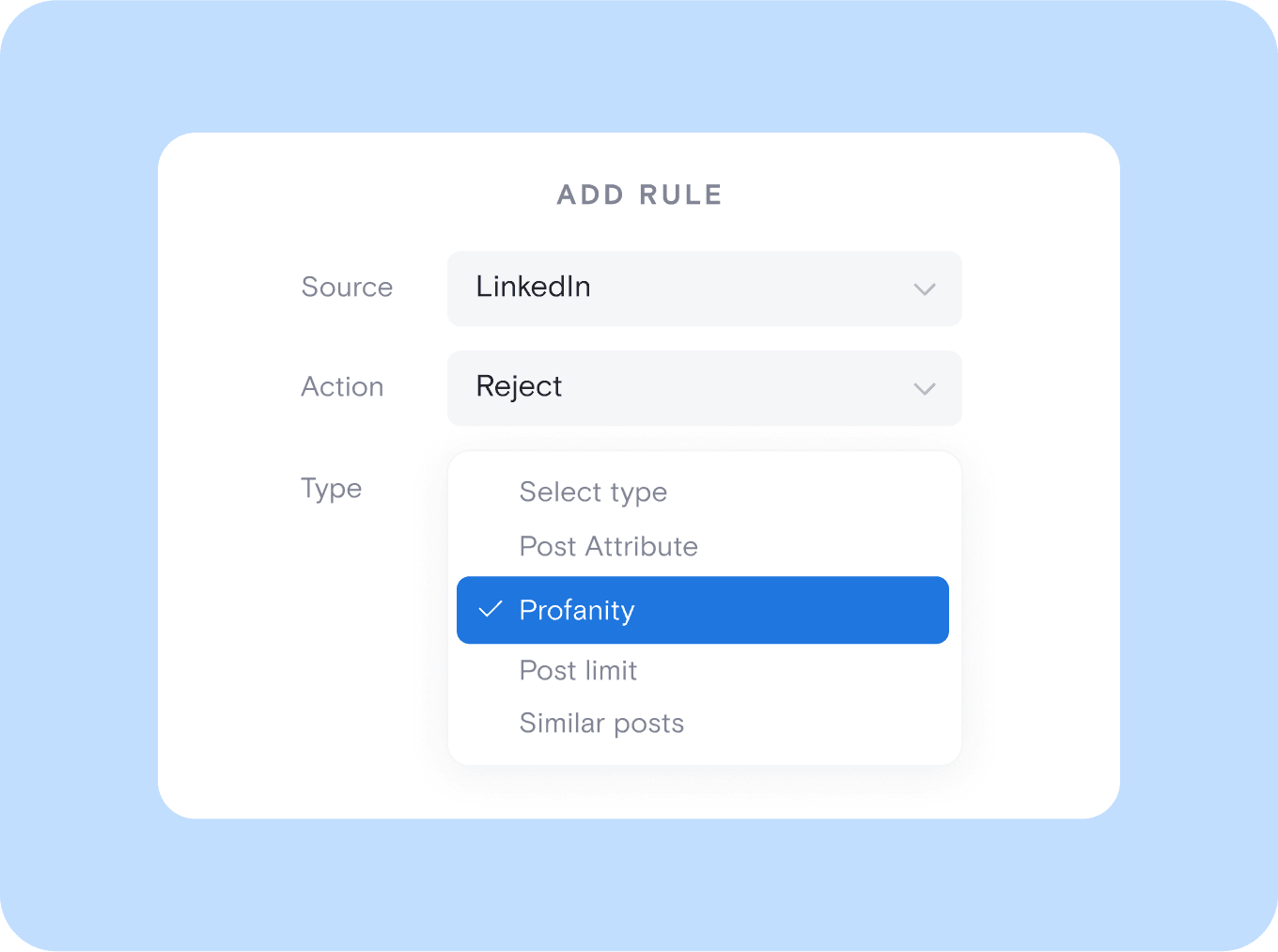
Control what appears on your website
Use built-in moderation tools to hide posts with specific keywords or manually approve content before it goes live. This helps you maintain a clean, professional feed that stays aligned with your brand and messaging.
Control what appears on your website
Use built-in moderation tools to hide posts with specific keywords or manually approve content before it goes live. This helps you maintain a clean, professional feed that stays aligned with your brand and messaging.
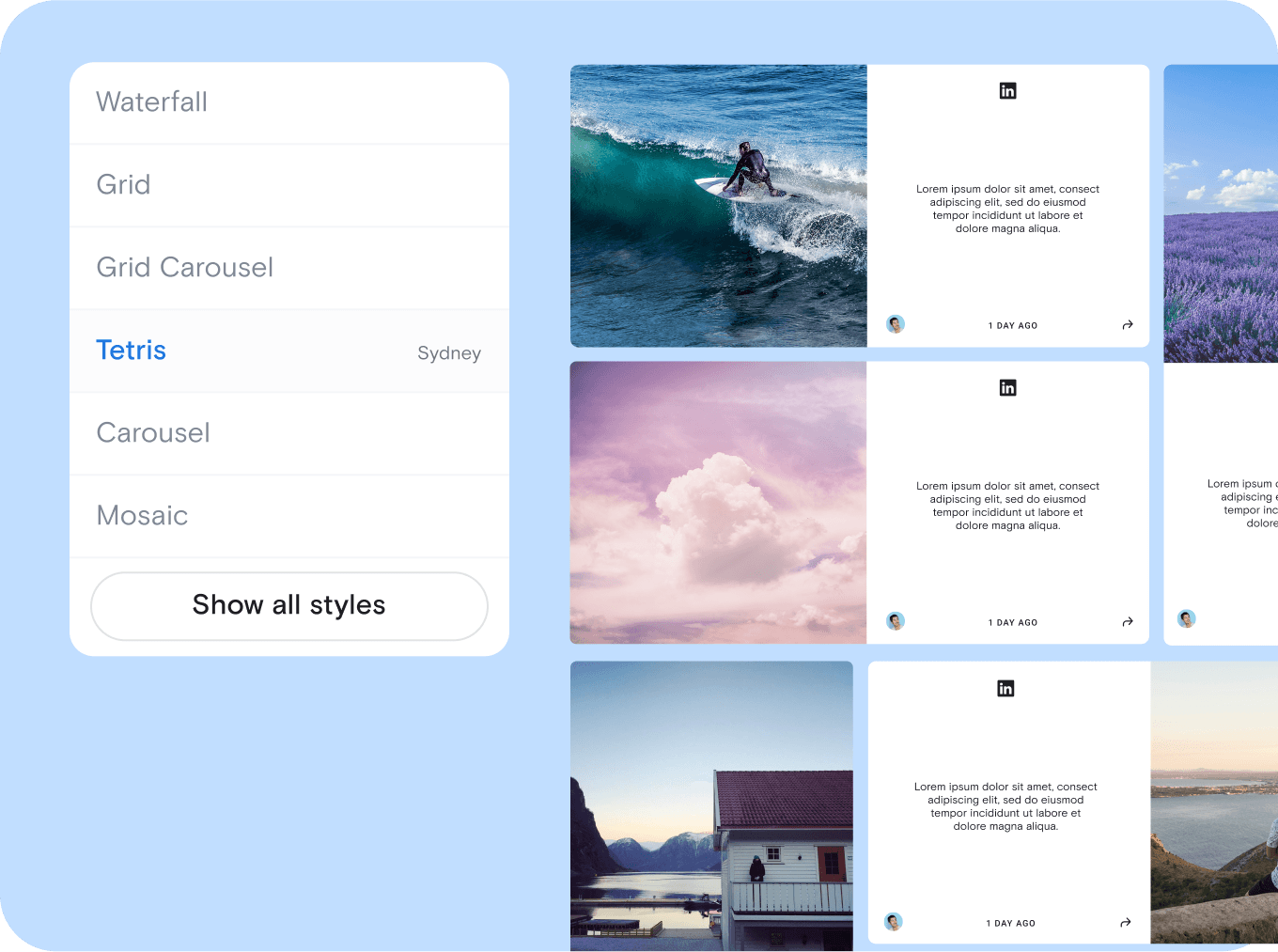
Customize your widget to fit your brand
Choose from more than 20 layout templates and personalize fonts, colors, and spacing to match your site. You can also use custom CSS for full design control and a seamless visual experience.
Customize your widget to fit your brand
Choose from more than 20 layout templates and personalize fonts, colors, and spacing to match your site. You can also use custom CSS for full design control and a seamless visual experience.
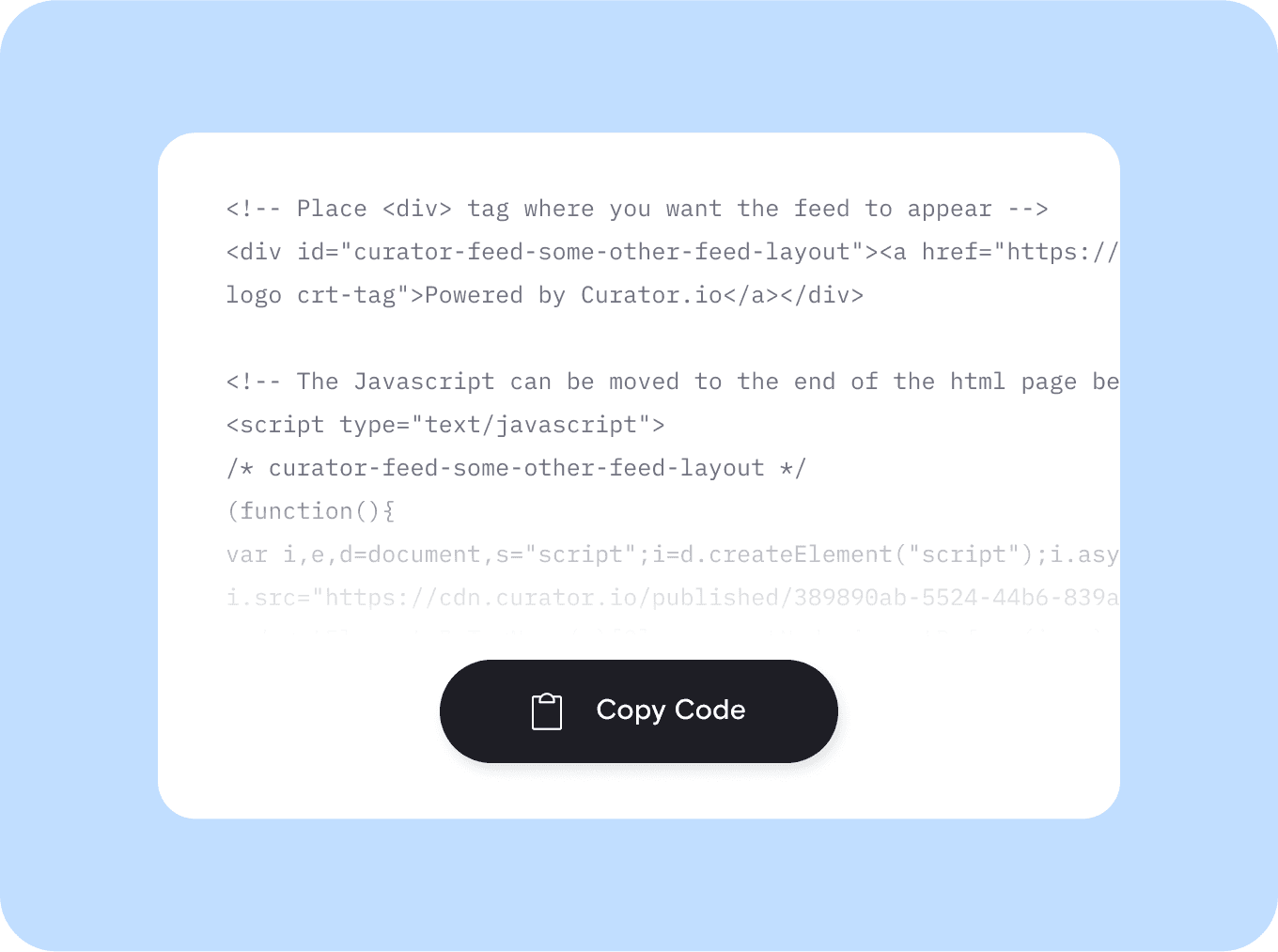
Add to any website with one simple embed code
After customizing your LinkedIn feed, copy and paste the provided embed code into your site. It works perfectly on platforms like WordPress, Webflow, Squarespace, and Shopify with no coding or plugins required.
Add to any website with one simple embed code
After customizing your LinkedIn feed, copy and paste the provided embed code into your site. It works perfectly on platforms like WordPress, Webflow, Squarespace, and Shopify with no coding or plugins required.

We chose Curator based on their highly competitive pricing and incredible interface. Not only that, their team gave 110% in helping craft the solution for our project.
Steve Crombie
CEO, Totem

Curator is a wonderfully easy tool to use, with a clear and intuitive interface. The pricing is extremely competitive and the customer service second to none!
Karen Murphy
Public Relations Manager, Unstudio

We've been working Curator.io for a some time now to be integrated into our social wall solution offering. The team's been cooperative and responsive to deal with.
Mike Vasavada
Director, Mobiddiction
We chose Curator based on their highly competitive pricing and incredible interface. Not only that, their team gave 110% in helping craft the solution for our project.
Steve Crombie
CEO, Totem
Curator is a wonderfully easy tool to use, with a clear and intuitive interface. The pricing is extremely competitive and the customer service second to none!
Karen Murphy
Public Relations Manager, Unstudio
We've been working Curator.io for a some time now to be integrated into our social wall solution offering. The team's been cooperative and responsive to deal with.
Mike Vasavada
Director, Mobiddiction
We chose Curator based on their highly competitive pricing and incredible interface. Not only that, their team gave 110% in helping craft the solution for our project.
Steve Crombie
CEO, Totem
Curator is a wonderfully easy tool to use, with a clear and intuitive interface. The pricing is extremely competitive and the customer service second to none!
Karen Murphy
Public Relations Manager, Unstudio
We've been working Curator.io for a some time now to be integrated into our social wall solution offering. The team's been cooperative and responsive to deal with.
Mike Vasavada
Director, Mobiddiction
Smart tools to get the most from your LinkedIn profile feed
" height="23px" id="s6FSESjW0" transform="translate(0.5 0.5)" width="23px"/></svg>)
Pin your top LinkedIn posts
Feature key posts by pinning them to the top of your widget. Great for highlighting company news, hiring announcements, or thought leadership that deserves extra attention.
Pin your top LinkedIn posts
Feature key posts by pinning them to the top of your widget. Great for highlighting company news, hiring announcements, or thought leadership that deserves extra attention.
" transform="translate(4.524 6.6)" width="10.40000952380953px"/><path d="M 0.912 0 L 0.011 3.722 C -0.018 3.817 0.011 3.924 0.088 4.001 L 0.088 4 C 0.16 4.072 0.266 4.101 0.367 4.078 L 4.086 3.187" fill="transparent" height="4.085720891021509px" id="BH5OPxkdQ" stroke-dasharray="" stroke-linecap="round" stroke-linejoin="round" stroke-width="0.76" stroke="rgb(0, 0, 0)" transform="translate(2.667 14.771)" width="4.0857136326079075px"/><path d="M 4.4 1.746 L 3.104 0.448 C 2.508 -0.149 1.547 -0.149 0.955 0.447 L 0.091 1.306 L 0.091 1.306 C -0.03 1.421 -0.03 1.616 0.091 1.732 L 3.103 4.742 C 3.218 4.858 3.413 4.858 3.529 4.742 L 4.387 3.877 L 4.386 3.877 C 4.976 3.28 4.976 2.317 4.386 1.726 Z" fill="transparent" height="4.828583838707923px" id="JBrASk_xb" stroke-dasharray="" stroke-linecap="round" stroke-linejoin="round" stroke-width="0.76" stroke="rgb(0, 0, 0)" transform="translate(12.695 4)" width="4.828561904761912px"/><path d="M 0 0 L 16 0" fill="transparent" height="1px" id="Qzu4QEKbb" stroke-dasharray="" stroke-linecap="round" stroke-linejoin="round" stroke-width="0.76" stroke="rgb(0, 0, 0)" transform="translate(2.286 21.904)" width="16px"/></svg>)
Edit post captions for clarity
Make small changes to post captions right in the dashboard. Fix typos, update language, or add links to help your content look polished and perform better on your site.
Edit post captions for clarity
Make small changes to post captions right in the dashboard. Fix typos, update language, or add links to help your content look polished and perform better on your site.
" transform="translate(8.198 11.614)" width="7.563665454545447px"/><path d="M 0 0 L 0 1.513" fill="transparent" height="1.5127287272727274px" id="aklwAr9zB" stroke-dasharray="" stroke-linecap="round" stroke-linejoin="round" stroke-width="0.87" stroke="rgb(0, 0, 0)" transform="translate(9.711 7.053)" width="1px"/><path d="M 0 0 L 0 1.513" fill="transparent" height="1.5127287272727274px" id="IuTaE4o2w" stroke-dasharray="" stroke-linecap="round" stroke-linejoin="round" stroke-width="0.87" stroke="rgb(0, 0, 0)" transform="translate(14.249 7.053)" width="1px"/><path d="M 0 11.345 L 0 1.745 C 0 0.78 0.666 0 1.491 0 L 16.4 0 C 17.215 0 17.891 0.78 17.891 1.745 L 17.891 11.345" fill="transparent" height="11.345454545454547px" id="UItXlsDuW" stroke-dasharray="" stroke-linecap="round" stroke-linejoin="round" stroke-width="0.87" stroke="rgb(0, 0, 0)" transform="translate(3.055 3.271)" width="17.89090909090909px"/><path d="M 0 0 C 0 2.088 1.684 3.782 3.782 3.782 L 18.909 3.782 C 20.997 3.782 22.691 2.088 22.691 0 Z" fill="transparent" height="3.781832727272729px" id="z7pod4CVY" stroke-dasharray="" stroke-linecap="round" stroke-linejoin="round" stroke-width="0.87" stroke="rgb(0, 0, 0)" transform="translate(0.635 16.566)" width="22.69091345454544px"/></svg>)
Add custom content to your feed
Upload posts that are not on LinkedIn. Add quotes, internal announcements, or testimonials to round out your feed and highlight content that builds trust with your visitors.
Add custom content to your feed
Upload posts that are not on LinkedIn. Add quotes, internal announcements, or testimonials to round out your feed and highlight content that builds trust with your visitors.
" height="24px" id="MhNrvLAaf" width="24px"/></svg>)
Link posts to important pages
Turn engagement into action by linking posts to specific pages. Drive traffic to your contact form, careers page, or services with one click from your feed.
Link posts to important pages
Turn engagement into action by linking posts to specific pages. Drive traffic to your contact form, careers page, or services with one click from your feed.
" height="16.39543127592071px" id="g6HrY3UER" transform="translate(0 5.5)" width="23.518432919232858px"/><path d="M 0.278 7.013 C 0.577 7.227 0.993 7.158 1.207 6.858 L 3.264 3.974 L 8.415 3.974 L 6.889 5.505 C 6.629 5.764 6.629 6.186 6.889 6.445 C 7.149 6.705 7.57 6.705 7.83 6.445 L 10.492 3.783 C 10.752 3.523 10.752 3.102 10.492 2.842 L 7.83 0.18 C 7.568 -0.066 7.158 -0.059 6.904 0.195 C 6.65 0.449 6.643 0.859 6.889 1.121 L 8.415 2.647 L 2.922 2.647 C 2.707 2.647 2.505 2.751 2.38 2.925 L 0.124 6.086 C -0.089 6.385 -0.021 6.8 0.278 7.014 Z" fill="rgb(0, 0, 0)" height="7.1373930417396405px" id="exy879PVw" transform="translate(13 3)" width="10.686885037495795px"/><path d="M 9.521 0.124 C 9.222 -0.09 8.807 -0.02 8.593 0.279 L 6.534 3.159 L 0.666 3.159 C 0.298 3.159 0 3.457 0 3.824 C 0 4.192 0.298 4.49 0.666 4.49 L 6.877 4.49 C 7.092 4.49 7.293 4.386 7.418 4.212 L 9.675 1.051 C 9.888 0.752 9.819 0.337 9.521 0.124 Z" fill="rgb(0, 0, 0)" height="4.4900455077192305px" id="EEqdQl7oJ" transform="translate(0 15)" width="9.798419889665297px"/></svg>)
Combine profiles, mentions, and hashtags
Show more than just your own posts. Mix in mentions and hashtags to showcase brand buzz, team achievements, or user-generated content related to your company or industry.
Combine profiles, mentions, and hashtags
Show more than just your own posts. Mix in mentions and hashtags to showcase brand buzz, team achievements, or user-generated content related to your company or industry.
" transform="translate(5.206 19.581)" width="13.1457962264151px"/><path d="M 2.264 22.834 C 1.014 22.834 0 21.82 0 20.569 L 0 2.264 C 0 1.014 1.014 0 2.264 0 L 11.787 0 C 13.038 0 14.051 1.014 14.051 2.264 L 14.051 20.569 C 14.051 21.82 13.038 22.834 11.787 22.834 Z" fill="transparent" height="22.8336px" id="e6LnYOsGS" stroke-dasharray="" stroke-linecap="round" stroke-linejoin="round" stroke-width="0.91" stroke="rgb(0, 0, 0)" transform="translate(5.192 0.714)" width="14.05145660377359px"/><path d="M 0 2.196 L 2.196 4.391 L 6.587 0" fill="transparent" height="4.391094339622642px" id="YPcK3GXnE" stroke-dasharray="" stroke-linecap="round" stroke-linejoin="round" stroke-width="0.91" stroke="rgb(0, 0, 0)" transform="translate(8.791 8.618)" width="6.586600754716983px"/></svg>)
Keep your site fast and mobile-friendly
Curator’s widget is lightweight and responsive. It loads quickly on phones, tablets, and desktops so your LinkedIn feed looks great without slowing down your website.
Keep your site fast and mobile-friendly
Curator’s widget is lightweight and responsive. It loads quickly on phones, tablets, and desktops so your LinkedIn feed looks great without slowing down your website.
Questions? We got answers!
How much does it cost to embed a LinkedIn profile on a website?
To embed a LinkedIn profile using Curator, you’ll need the Business plan, which is $59 per month. This plan includes access to our LinkedIn integration, along with support for up to 15 sources, automatic updates every 15 minutes, unlimited views, post moderation, design customization, API access, and no “Powered by Curator” branding.

How much does it cost to embed a LinkedIn profile on a website?
To embed a LinkedIn profile using Curator, you’ll need the Business plan, which is $59 per month. This plan includes access to our LinkedIn integration, along with support for up to 15 sources, automatic updates every 15 minutes, unlimited views, post moderation, design customization, API access, and no “Powered by Curator” branding.
How do I embed a LinkedIn profile feed into my site?
To embed your LinkedIn profile, sign in to Curator and connect your LinkedIn company page. Choose a layout template, customize the design to match your website, and copy the embed code. Paste the code into any page on your site. The widget works on all major platforms and updates automatically with your latest LinkedIn posts.
How do I embed a LinkedIn profile feed into my site?
To embed your LinkedIn profile, sign in to Curator and connect your LinkedIn company page. Choose a layout template, customize the design to match your website, and copy the embed code. Paste the code into any page on your site. The widget works on all major platforms and updates automatically with your latest LinkedIn posts.
What types of content can I display from my LinkedIn profile?
You can display posts from your LinkedIn company page, including text updates, images, links, and video posts. Curator pulls in your latest content automatically, keeping your website fresh. It’s a great way to showcase company news, team highlights, thought leadership, and any updates you share on LinkedIn.
What types of content can I display from my LinkedIn profile?
You can display posts from your LinkedIn company page, including text updates, images, links, and video posts. Curator pulls in your latest content automatically, keeping your website fresh. It’s a great way to showcase company news, team highlights, thought leadership, and any updates you share on LinkedIn.
Will my LinkedIn profile feed update automatically?
Yes, your LinkedIn profile feed updates automatically based on your plan. With the Business plan, new posts are pulled in every 15 minutes. Once the widget is embedded on your site, there’s nothing else you need to do. Your feed stays current with your latest LinkedIn content, without any manual updates or extra work.
Will my LinkedIn profile feed update automatically?
Yes, your LinkedIn profile feed updates automatically based on your plan. With the Business plan, new posts are pulled in every 15 minutes. Once the widget is embedded on your site, there’s nothing else you need to do. Your feed stays current with your latest LinkedIn content, without any manual updates or extra work.
Can I control which LinkedIn posts appear on my website?
Yes, Curator gives you full control over what shows in your feed. You can use filters to automatically hide posts with certain keywords or manually approve each post before it appears. This helps you keep your embedded LinkedIn feed clean, professional, and always on-brand.
Can I control which LinkedIn posts appear on my website?
Yes, Curator gives you full control over what shows in your feed. You can use filters to automatically hide posts with certain keywords or manually approve each post before it appears. This helps you keep your embedded LinkedIn feed clean, professional, and always on-brand.
Can I customize the design of my LinkedIn profile widget?
Yes, you can fully customize the look of your widget to match your website. Choose from over 20 layout templates, then adjust fonts, colors, spacing, and more. For full control, you can also add custom CSS. Your LinkedIn feed will blend in beautifully with your site’s design and branding.
Can I customize the design of my LinkedIn profile widget?
Yes, you can fully customize the look of your widget to match your website. Choose from over 20 layout templates, then adjust fonts, colors, spacing, and more. For full control, you can also add custom CSS. Your LinkedIn feed will blend in beautifully with your site’s design and branding.
Is the LinkedIn widget responsive and mobile-friendly?
Yes, the LinkedIn widget is fully responsive and works on all devices. It automatically adjusts to fit desktops, tablets, and smartphones. Your feed will look clean and professional no matter how visitors access your site, providing a smooth and consistent experience on every screen.
Is the LinkedIn widget responsive and mobile-friendly?
Yes, the LinkedIn widget is fully responsive and works on all devices. It automatically adjusts to fit desktops, tablets, and smartphones. Your feed will look clean and professional no matter how visitors access your site, providing a smooth and consistent experience on every screen.
Can I combine my LinkedIn profile with posts from other platforms?
Yes, Curator lets you combine your LinkedIn profile with content from other platforms like Instagram, X, Google Reviews, Reddit, and more. You can create one unified feed that pulls from multiple sources, giving your visitors a complete view of your brand across social media with a single, auto-updating widget.
Can I combine my LinkedIn profile with posts from other platforms?
Yes, Curator lets you combine your LinkedIn profile with content from other platforms like Instagram, X, Google Reviews, Reddit, and more. You can create one unified feed that pulls from multiple sources, giving your visitors a complete view of your brand across social media with a single, auto-updating widget.
Start free and upgrade when ready
Get started with LinkedIn embedding at no cost. Our free plan includes core features, and you can unlock faster updates, more customization, and extra sources anytime you need them.
No learning curve or tech headaches
You don’t need a developer to embed your LinkedIn profile. Simply connect your account, pick a design, and paste the code into your site. It really is that easy.
Works perfectly on any website
From WordPress and Shopify to Webflow and Squarespace, Curator fits into any platform. One copy-paste code brings your LinkedIn profile feed to life anywhere online.
Start free and upgrade when ready
Get started with LinkedIn embedding at no cost. Our free plan includes core features, and you can unlock faster updates, more customization, and extra sources anytime you need them.
No learning curve or tech headaches
You don’t need a developer to embed your LinkedIn profile. Simply connect your account, pick a design, and paste the code into your site. It really is that easy.
Works perfectly on any website
From WordPress and Shopify to Webflow and Squarespace, Curator fits into any platform. One copy-paste code brings your LinkedIn profile feed to life anywhere online.
Start free and upgrade when ready
Get started with LinkedIn embedding at no cost. Our free plan includes core features, and you can unlock faster updates, more customization, and extra sources anytime you need them.
No learning curve or tech headaches
You don’t need a developer to embed your LinkedIn profile. Simply connect your account, pick a design, and paste the code into your site. It really is that easy.
Works perfectly on any website
From WordPress and Shopify to Webflow and Squarespace, Curator fits into any platform. One copy-paste code brings your LinkedIn profile feed to life anywhere online.
Show your professional side where it matters most
Show your professional side where it matters most
Easily display your LinkedIn profile on your website to share updates, build trust, and grow your network, all with one simple widget.