LinkedIn Aggregator
Add a LinkedIn feed to your site for free in under 5 minutes
Curator’s LinkedIn aggregator offers all of the creative and moderation tools you need.
LinkedIn is only available on Business plan and 7-day trial














The LinkedIn aggregator that gets the job done
The LinkedIn aggregator that gets the job done
Pull content from your LinkedIn company page
Easily collect and display posts from your LinkedIn company page or showcase content from specific hashtags. Curator’s content aggregator keeps your website updated with fresh, engaging posts. No manual work required.
Pull content from your LinkedIn company page
Easily collect and display posts from your LinkedIn company page or showcase content from specific hashtags. Curator’s content aggregator keeps your website updated with fresh, engaging posts. No manual work required.
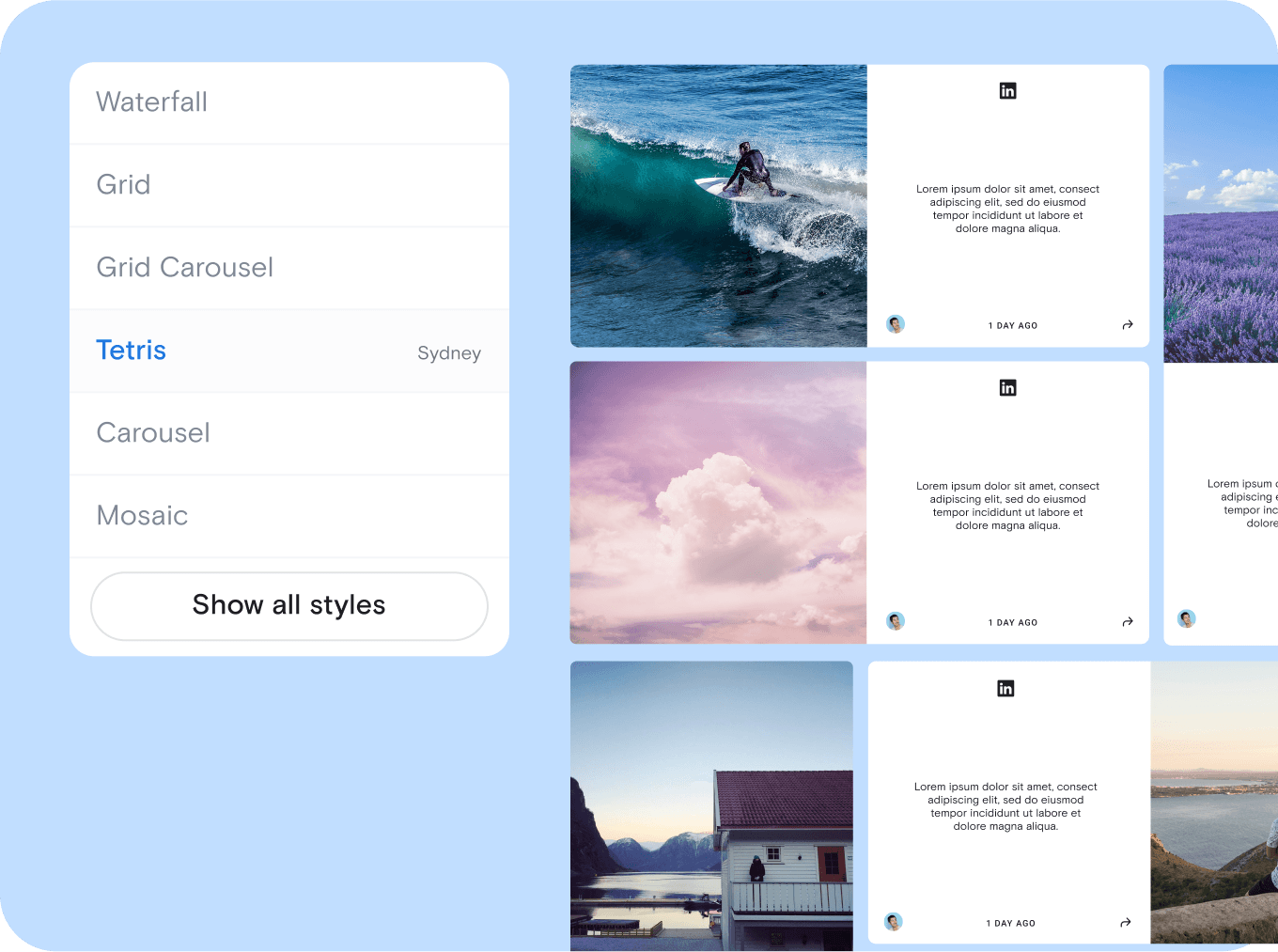
Pick a template that matches your website
Choose from a variety of sleek, ready-to-go templates to seamlessly integrate LinkedIn content into your site. Whether you prefer a dynamic grid, a scrolling list, or a carousel, the customization process is simple.
Pick a template that matches your website
Choose from a variety of sleek, ready-to-go templates to seamlessly integrate LinkedIn content into your site. Whether you prefer a dynamic grid, a scrolling list, or a carousel, the customization process is simple.
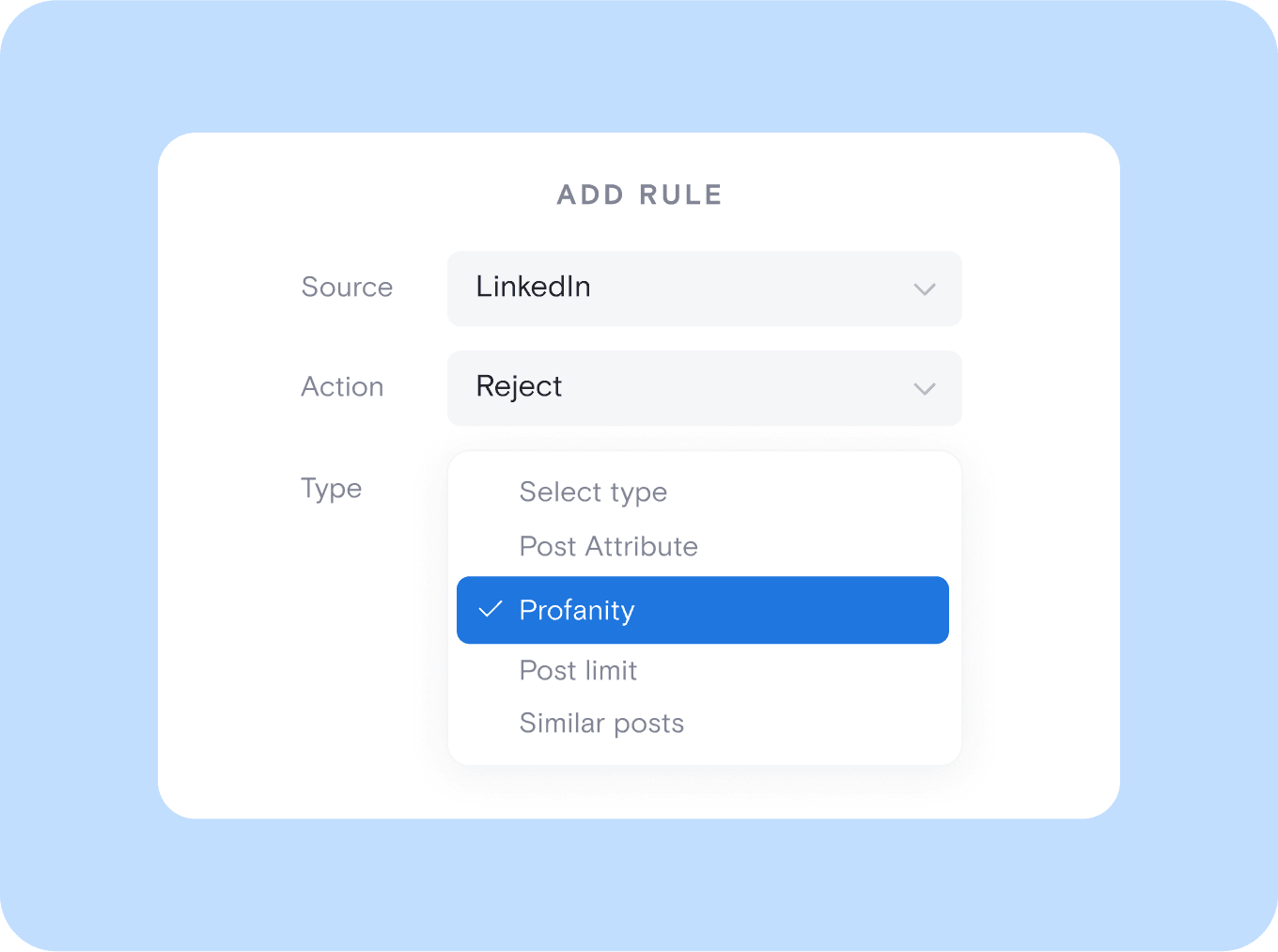
Setup your moderation policy
Take full control of your LinkedIn feed with powerful moderation tools. Automatically filter posts, approve content manually, or set custom rules to highlight the best updates while keeping your feed relevant, professional, and on-brand.
Setup your moderation policy
Take full control of your LinkedIn feed with powerful moderation tools. Automatically filter posts, approve content manually, or set custom rules to highlight the best updates while keeping your feed relevant, professional, and on-brand.
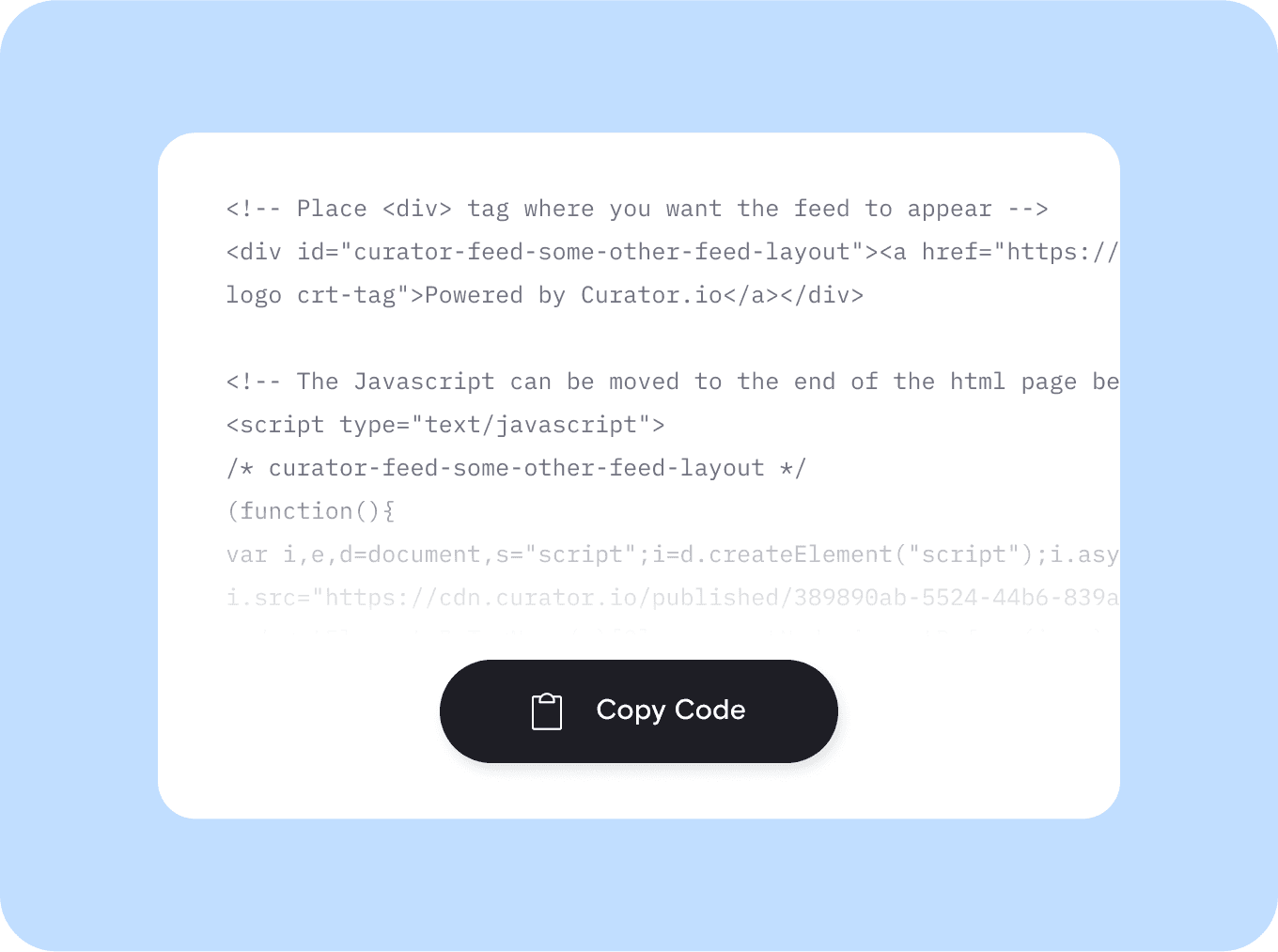
Embed your LinkedIn feed
Seamlessly integrate your LinkedIn content into any website by copying and pasting a simple code snippet. Works smoothly with WordPress, Wix, Squarespace, and more, keeping your site updated with fresh, engaging posts effortlessly.
Embed your LinkedIn feed
Seamlessly integrate your LinkedIn content into any website by copying and pasting a simple code snippet. Works smoothly with WordPress, Wix, Squarespace, and more, keeping your site updated with fresh, engaging posts effortlessly.

We chose Curator based on their highly competitive pricing and incredible interface. Not only that, their team gave 110% in helping craft the solution for our project.
Steve Crombie
CEO, Totem

Curator is a wonderfully easy tool to use, with a clear and intuitive interface. The pricing is extremely competitive and the customer service second to none!
Karen Murphy
Public Relations Manager, Unstudio

We've been working Curator.io for a some time now to be integrated into our social wall solution offering. The team's been cooperative and responsive to deal with.
Mike Vasavada
Director, Mobiddiction
We chose Curator based on their highly competitive pricing and incredible interface. Not only that, their team gave 110% in helping craft the solution for our project.
Steve Crombie
CEO, Totem
Curator is a wonderfully easy tool to use, with a clear and intuitive interface. The pricing is extremely competitive and the customer service second to none!
Karen Murphy
Public Relations Manager, Unstudio
We've been working Curator.io for a some time now to be integrated into our social wall solution offering. The team's been cooperative and responsive to deal with.
Mike Vasavada
Director, Mobiddiction
We chose Curator based on their highly competitive pricing and incredible interface. Not only that, their team gave 110% in helping craft the solution for our project.
Steve Crombie
CEO, Totem
Curator is a wonderfully easy tool to use, with a clear and intuitive interface. The pricing is extremely competitive and the customer service second to none!
Karen Murphy
Public Relations Manager, Unstudio
We've been working Curator.io for a some time now to be integrated into our social wall solution offering. The team's been cooperative and responsive to deal with.
Mike Vasavada
Director, Mobiddiction
A fully-featured Google reviews widget
" transform="translate(4.524 6.6)" width="10.40000952380953px"/><path d="M 0.912 0 L 0.011 3.722 C -0.018 3.817 0.011 3.924 0.088 4.001 L 0.088 4 C 0.16 4.072 0.266 4.101 0.367 4.078 L 4.086 3.187" fill="transparent" height="4.085720891021509px" id="BH5OPxkdQ" stroke-dasharray="" stroke-linecap="round" stroke-linejoin="round" stroke-width="0.76" stroke="rgb(0, 0, 0)" transform="translate(2.667 14.771)" width="4.0857136326079075px"/><path d="M 4.4 1.746 L 3.104 0.448 C 2.508 -0.149 1.547 -0.149 0.955 0.447 L 0.091 1.306 L 0.091 1.306 C -0.03 1.421 -0.03 1.616 0.091 1.732 L 3.103 4.742 C 3.218 4.858 3.413 4.858 3.529 4.742 L 4.387 3.877 L 4.386 3.877 C 4.976 3.28 4.976 2.317 4.386 1.726 Z" fill="transparent" height="4.828583838707923px" id="JBrASk_xb" stroke-dasharray="" stroke-linecap="round" stroke-linejoin="round" stroke-width="0.76" stroke="rgb(0, 0, 0)" transform="translate(12.695 4)" width="4.828561904761912px"/><path d="M 0 0 L 16 0" fill="transparent" height="1px" id="Qzu4QEKbb" stroke-dasharray="" stroke-linecap="round" stroke-linejoin="round" stroke-width="0.76" stroke="rgb(0, 0, 0)" transform="translate(2.286 21.904)" width="16px"/></svg>)
Create custom feed styles
Tailor your LinkedIn feed with customizable layouts, colors, and fonts to match your brand’s look and feel perfectly.
Create custom feed styles
Tailor your LinkedIn feed with customizable layouts, colors, and fonts to match your brand’s look and feel perfectly.
" height="23px" id="s6FSESjW0" transform="translate(0.5 0.5)" width="23px"/></svg>)
Pin and edit posts
Highlight key LinkedIn posts by pinning them to the top of your feed or editing descriptions for better engagement.
Pin and edit posts
Highlight key LinkedIn posts by pinning them to the top of your feed or editing descriptions for better engagement.
" height="23px" id="DSGUr9xQb" transform="translate(0.5 0)" width="23px"/></svg>)
No Curator ads in your feed
Unlike most aggregators, we don’t inject noticeable ads for our product into your feed—your content is your own.
No Curator ads in your feed
Unlike most aggregators, we don’t inject noticeable ads for our product into your feed—your content is your own.
" height="16px" id="sbybzKMua" transform="translate(0 5)" width="24px"/></svg>)
Boost search traffic
Improve SEO by embedding keyword-rich LinkedIn posts, helping your website rank higher and attract more organic visitors.
Boost search traffic
Improve SEO by embedding keyword-rich LinkedIn posts, helping your website rank higher and attract more organic visitors.
" height="24px" id="MhNrvLAaf" width="24px"/></svg>)
API access
Integrate your LinkedIn feed seamlessly with custom applications, dashboards, or internal tools using our powerful API.
API access
Integrate your LinkedIn feed seamlessly with custom applications, dashboards, or internal tools using our powerful API.
" height="16.39543127592071px" id="g6HrY3UER" transform="translate(0 5.5)" width="23.518432919232858px"/><path d="M 0.278 7.013 C 0.577 7.227 0.993 7.158 1.207 6.858 L 3.264 3.974 L 8.415 3.974 L 6.889 5.505 C 6.629 5.764 6.629 6.186 6.889 6.445 C 7.149 6.705 7.57 6.705 7.83 6.445 L 10.492 3.783 C 10.752 3.523 10.752 3.102 10.492 2.842 L 7.83 0.18 C 7.568 -0.066 7.158 -0.059 6.904 0.195 C 6.65 0.449 6.643 0.859 6.889 1.121 L 8.415 2.647 L 2.922 2.647 C 2.707 2.647 2.505 2.751 2.38 2.925 L 0.124 6.086 C -0.089 6.385 -0.021 6.8 0.278 7.014 Z" fill="rgb(0, 0, 0)" height="7.1373930417396405px" id="exy879PVw" transform="translate(13 3)" width="10.686885037495795px"/><path d="M 9.521 0.124 C 9.222 -0.09 8.807 -0.02 8.593 0.279 L 6.534 3.159 L 0.666 3.159 C 0.298 3.159 0 3.457 0 3.824 C 0 4.192 0.298 4.49 0.666 4.49 L 6.877 4.49 C 7.092 4.49 7.293 4.386 7.418 4.212 L 9.675 1.051 C 9.888 0.752 9.819 0.337 9.521 0.124 Z" fill="rgb(0, 0, 0)" height="4.4900455077192305px" id="EEqdQl7oJ" transform="translate(0 15)" width="9.798419889665297px"/></svg>)
Aggregate other platforms
Combine LinkedIn with content from Instagram, Twitter, Reddit, and more to create a dynamic, multi-platform social feed.
Aggregate other platforms
Combine LinkedIn with content from Instagram, Twitter, Reddit, and more to create a dynamic, multi-platform social feed.
Questions? We got answers!
How do I use a LinkedIn aggregator?
Using a LinkedIn aggregator like Curator is super easy. Just sign up, connect your LinkedIn posts or hashtags, and embed the feed on your site, no coding needed. You can filter, moderate, and customize the look to match your brand. It’s the simplest way to showcase LinkedIn content and keep your audience engaged without having to update things manually.

How do I use a LinkedIn aggregator?
Using a LinkedIn aggregator like Curator is super easy. Just sign up, connect your LinkedIn posts or hashtags, and embed the feed on your site, no coding needed. You can filter, moderate, and customize the look to match your brand. It’s the simplest way to showcase LinkedIn content and keep your audience engaged without having to update things manually.
How do I embed the feed in my website?
Embedding your LinkedIn feed is simple. Copy the code provided by Curator and paste it into your website’s editor. It works with platforms like WordPress, Wix, Squarespace, and Shopify. Once added, the feed updates automatically, ensuring your site always displays the latest LinkedIn content without requiring ongoing maintenance.
How do I embed the feed in my website?
Embedding your LinkedIn feed is simple. Copy the code provided by Curator and paste it into your website’s editor. It works with platforms like WordPress, Wix, Squarespace, and Shopify. Once added, the feed updates automatically, ensuring your site always displays the latest LinkedIn content without requiring ongoing maintenance.
What type of content can I aggregate with LinkedIn?
You can aggregate content from LinkedIn company pages, including company updates, CEO musings, and thought leadership posts. Unlike Instagram and TikTok, LinkedIn’s strict API doesn’t allow hashtag aggregation, only company accounts. It’s a great way to boost B2B marketing efforts and keep your site updated with fresh B2B social media content straight from your brand’s LinkedIn page.
What type of content can I aggregate with LinkedIn?
You can aggregate content from LinkedIn company pages, including company updates, CEO musings, and thought leadership posts. Unlike Instagram and TikTok, LinkedIn’s strict API doesn’t allow hashtag aggregation, only company accounts. It’s a great way to boost B2B marketing efforts and keep your site updated with fresh B2B social media content straight from your brand’s LinkedIn page.
Which templates work well for LinkedIn feeds?
The best template for your LinkedIn feed depends on your site’s design and content style. The Waterfall template arranges images and descriptions in an irregular grid for a dynamic look. Carousel keeps things sleek with a single-row layout that fits seamlessly into any website. Stack highlights images one at a time for a clean, focused presentation. List offers a simple, scrollable format that displays both images and descriptions together.
Which templates work well for LinkedIn feeds?
The best template for your LinkedIn feed depends on your site’s design and content style. The Waterfall template arranges images and descriptions in an irregular grid for a dynamic look. Carousel keeps things sleek with a single-row layout that fits seamlessly into any website. Stack highlights images one at a time for a clean, focused presentation. List offers a simple, scrollable format that displays both images and descriptions together.
Can I use different layouts for desktop and mobile?
Yes, you can customize layouts for desktop and mobile. Curator lets you choose different templates to ensure your LinkedIn feed looks great on any screen. Whether you want a carousel on mobile and a list on desktop, it’s easy to set up and automatically adjusts for the best user experience.
Can I use different layouts for desktop and mobile?
Yes, you can customize layouts for desktop and mobile. Curator lets you choose different templates to ensure your LinkedIn feed looks great on any screen. Whether you want a carousel on mobile and a list on desktop, it’s easy to set up and automatically adjusts for the best user experience.
What social media platforms can I aggregate with Curator?
Rewrite this to be fresh and not duplicated: Besides Reddit, Curator lets you aggregate content from major social media platforms like Facebook, Instagram, Twitter, YouTube, TikTok, and LinkedIn. Pull posts from your own accounts or showcase user-generated content. You can also connect RSS feeds, Tumblr, Slack, Vimeo, Behance, Yelp, Flickr, and more to create a dynamic, multi-platform feed that keeps your audience engaged.
What social media platforms can I aggregate with Curator?
Rewrite this to be fresh and not duplicated: Besides Reddit, Curator lets you aggregate content from major social media platforms like Facebook, Instagram, Twitter, YouTube, TikTok, and LinkedIn. Pull posts from your own accounts or showcase user-generated content. You can also connect RSS feeds, Tumblr, Slack, Vimeo, Behance, Yelp, Flickr, and more to create a dynamic, multi-platform feed that keeps your audience engaged.
Free and affordable plans
Get started with our free plan or upgrade anytime. Enjoy generous pricing with powerful features that fit any budget.
5-minute setup
Set up your LinkedIn feed in minutes. Connect your account, customize the layout, and embed it seamlessly on your website.
Optional advanced features
Unlock content moderation, custom branding, API access, and more. Our enterprise features are here if you need them.
Free and affordable plans
Get started with our free plan or upgrade anytime. Enjoy generous pricing with powerful features that fit any budget.
5-minute setup
Set up your LinkedIn feed in minutes. Connect your account, customize the layout, and embed it seamlessly on your website.
Optional advanced features
Unlock content moderation, custom branding, API access, and more. Our enterprise features are here if you need them.
Free and affordable plans
Get started with our free plan or upgrade anytime. Enjoy generous pricing with powerful features that fit any budget.
5-minute setup
Set up your LinkedIn feed in minutes. Connect your account, customize the layout, and embed it seamlessly on your website.
Optional advanced features
Unlock content moderation, custom branding, API access, and more. Our enterprise features are here if you need them.
LinkedIn is only available on Business plan and 7-day trial
Display your best LinkedIn content on your website
Display your best LinkedIn content on your website
Whether you want to showcase every post or just a select few, you can do it with Curator.