Embed an RSS Widget on Your Website | Auto-Updating Feed
Add an RSS widget to your website in minutes
Embed a live, auto-updating RSS feed from any source. Customize the layout, moderate content, and display fresh posts.














The easiest way to embed an RSS widget on your site
The easiest way to embed an RSS widget on your site
Display any RSS feed instantly
Add RSS feeds from blogs, news sites, podcasts, YouTube channels, or product updates in seconds. Simply paste the feed URL, and Curator automatically pulls in the latest posts, keeping your website fresh with real-time, continuously updating content.
Display any RSS feed instantly
Add RSS feeds from blogs, news sites, podcasts, YouTube channels, or product updates in seconds. Simply paste the feed URL, and Curator automatically pulls in the latest posts, keeping your website fresh with real-time, continuously updating content.
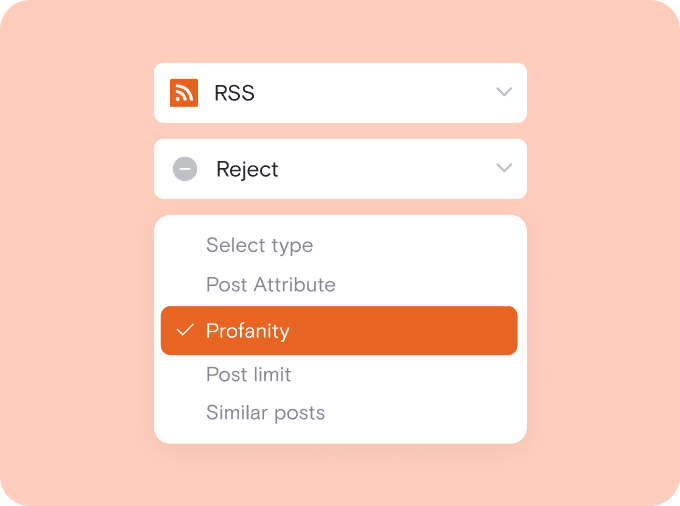
Moderate content before it goes live
Stay in full control of what appears on your website. Choose automatic publishing for hands-off updates or switch to manual approval to review each post. You can also filter content by keywords to ensure everything aligns with your brand.
Moderate content before it goes live
Stay in full control of what appears on your website. Choose automatic publishing for hands-off updates or switch to manual approval to review each post. You can also filter content by keywords to ensure everything aligns with your brand.
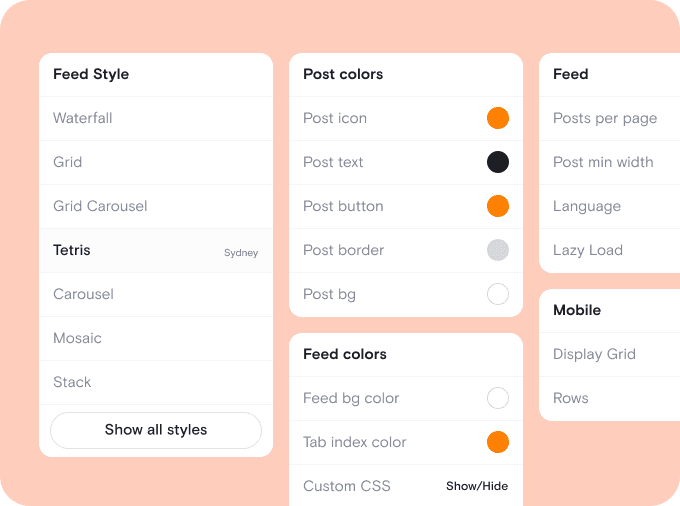
Customize layout and design
Choose from 20+ responsive templates, including grid, list, and carousel layouts. Adjust fonts, colors, spacing, and post elements to perfectly match your brand. You can even apply custom CSS for advanced styling and a fully integrated look.
Customize layout and design
Choose from 20+ responsive templates, including grid, list, and carousel layouts. Adjust fonts, colors, spacing, and post elements to perfectly match your brand. You can even apply custom CSS for advanced styling and a fully integrated look.

Embed anywhere with simple code
Copy and paste a lightweight embed code into any website builder, including WordPress, Shopify, Webflow, Wix, or Squarespace. Your RSS widget will display instantly, update automatically, and look great on desktop, tablet, and mobile devices.
Embed anywhere with simple code
Copy and paste a lightweight embed code into any website builder, including WordPress, Shopify, Webflow, Wix, or Squarespace. Your RSS widget will display instantly, update automatically, and look great on desktop, tablet, and mobile devices.

We chose Curator based on their highly competitive pricing and incredible interface. Not only that, their team gave 110% in helping craft the solution for our project.
Steve Crombie
CEO, Totem

Curator is a wonderfully easy tool to use, with a clear and intuitive interface. The pricing is extremely competitive and the customer service second to none!
Karen Murphy
Public Relations Manager, Unstudio

We've been working Curator.io for a some time now to be integrated into our social wall solution offering. The team's been cooperative and responsive to deal with.
Mike Vasavada
Director, Mobiddiction
We chose Curator based on their highly competitive pricing and incredible interface. Not only that, their team gave 110% in helping craft the solution for our project.
Steve Crombie
CEO, Totem
Curator is a wonderfully easy tool to use, with a clear and intuitive interface. The pricing is extremely competitive and the customer service second to none!
Karen Murphy
Public Relations Manager, Unstudio
We've been working Curator.io for a some time now to be integrated into our social wall solution offering. The team's been cooperative and responsive to deal with.
Mike Vasavada
Director, Mobiddiction
We chose Curator based on their highly competitive pricing and incredible interface. Not only that, their team gave 110% in helping craft the solution for our project.
Steve Crombie
CEO, Totem
Curator is a wonderfully easy tool to use, with a clear and intuitive interface. The pricing is extremely competitive and the customer service second to none!
Karen Murphy
Public Relations Manager, Unstudio
We've been working Curator.io for a some time now to be integrated into our social wall solution offering. The team's been cooperative and responsive to deal with.
Mike Vasavada
Director, Mobiddiction
Smart tools to get more from your RSS widget
" height="23px" id="s6FSESjW0" transform="translate(0.5 0.5)" width="23px"/></svg>)
Pin important posts to the top
Highlight announcements, featured articles, or product updates by pinning specific RSS items to the top of your feed for maximum visibility.
Pin important posts to the top
Highlight announcements, featured articles, or product updates by pinning specific RSS items to the top of your feed for maximum visibility.
" height="16.39543127592071px" id="g6HrY3UER" transform="translate(0 5.5)" width="23.518432919232858px"/><path d="M 0.278 7.013 C 0.577 7.227 0.993 7.158 1.207 6.858 L 3.264 3.974 L 8.415 3.974 L 6.889 5.505 C 6.629 5.764 6.629 6.186 6.889 6.445 C 7.149 6.705 7.57 6.705 7.83 6.445 L 10.492 3.783 C 10.752 3.523 10.752 3.102 10.492 2.842 L 7.83 0.18 C 7.568 -0.066 7.158 -0.059 6.904 0.195 C 6.65 0.449 6.643 0.859 6.889 1.121 L 8.415 2.647 L 2.922 2.647 C 2.707 2.647 2.505 2.751 2.38 2.925 L 0.124 6.086 C -0.089 6.385 -0.021 6.8 0.278 7.014 Z" fill="rgb(0, 0, 0)" height="7.1373930417396405px" id="exy879PVw" transform="translate(13 3)" width="10.686885037495795px"/><path d="M 9.521 0.124 C 9.222 -0.09 8.807 -0.02 8.593 0.279 L 6.534 3.159 L 0.666 3.159 C 0.298 3.159 0 3.457 0 3.824 C 0 4.192 0.298 4.49 0.666 4.49 L 6.877 4.49 C 7.092 4.49 7.293 4.386 7.418 4.212 L 9.675 1.051 C 9.888 0.752 9.819 0.337 9.521 0.124 Z" fill="rgb(0, 0, 0)" height="4.4900455077192305px" id="EEqdQl7oJ" transform="translate(0 15)" width="9.798419889665297px"/></svg>)
Combine multiple RSS feeds
Merge several RSS sources into one unified feed. Display blog posts, news mentions, and updates together in a single, organized widget.
Combine multiple RSS feeds
Merge several RSS sources into one unified feed. Display blog posts, news mentions, and updates together in a single, organized widget.
" transform="translate(8.198 11.614)" width="7.563665454545447px"/><path d="M 0 0 L 0 1.513" fill="transparent" height="1.5127287272727274px" id="aklwAr9zB" stroke-dasharray="" stroke-linecap="round" stroke-linejoin="round" stroke-width="0.87" stroke="rgb(0, 0, 0)" transform="translate(9.711 7.053)" width="1px"/><path d="M 0 0 L 0 1.513" fill="transparent" height="1.5127287272727274px" id="IuTaE4o2w" stroke-dasharray="" stroke-linecap="round" stroke-linejoin="round" stroke-width="0.87" stroke="rgb(0, 0, 0)" transform="translate(14.249 7.053)" width="1px"/><path d="M 0 11.345 L 0 1.745 C 0 0.78 0.666 0 1.491 0 L 16.4 0 C 17.215 0 17.891 0.78 17.891 1.745 L 17.891 11.345" fill="transparent" height="11.345454545454547px" id="UItXlsDuW" stroke-dasharray="" stroke-linecap="round" stroke-linejoin="round" stroke-width="0.87" stroke="rgb(0, 0, 0)" transform="translate(3.055 3.271)" width="17.89090909090909px"/><path d="M 0 0 C 0 2.088 1.684 3.782 3.782 3.782 L 18.909 3.782 C 20.997 3.782 22.691 2.088 22.691 0 Z" fill="transparent" height="3.781832727272729px" id="z7pod4CVY" stroke-dasharray="" stroke-linecap="round" stroke-linejoin="round" stroke-width="0.87" stroke="rgb(0, 0, 0)" transform="translate(0.635 16.566)" width="22.69091345454544px"/></svg>)
Filter posts with keyword rules
Automatically hide posts containing specific keywords or phrases to keep your RSS feed relevant, professional, and aligned with your content goals.
Filter posts with keyword rules
Automatically hide posts containing specific keywords or phrases to keep your RSS feed relevant, professional, and aligned with your content goals.
" transform="translate(4.524 6.6)" width="10.40000952380953px"/><path d="M 0.912 0 L 0.011 3.722 C -0.018 3.817 0.011 3.924 0.088 4.001 L 0.088 4 C 0.16 4.072 0.266 4.101 0.367 4.078 L 4.086 3.187" fill="transparent" height="4.085720891021509px" id="BH5OPxkdQ" stroke-dasharray="" stroke-linecap="round" stroke-linejoin="round" stroke-width="0.76" stroke="rgb(0, 0, 0)" transform="translate(2.667 14.771)" width="4.0857136326079075px"/><path d="M 4.4 1.746 L 3.104 0.448 C 2.508 -0.149 1.547 -0.149 0.955 0.447 L 0.091 1.306 L 0.091 1.306 C -0.03 1.421 -0.03 1.616 0.091 1.732 L 3.103 4.742 C 3.218 4.858 3.413 4.858 3.529 4.742 L 4.387 3.877 L 4.386 3.877 C 4.976 3.28 4.976 2.317 4.386 1.726 Z" fill="transparent" height="4.828583838707923px" id="JBrASk_xb" stroke-dasharray="" stroke-linecap="round" stroke-linejoin="round" stroke-width="0.76" stroke="rgb(0, 0, 0)" transform="translate(12.695 4)" width="4.828561904761912px"/><path d="M 0 0 L 16 0" fill="transparent" height="1px" id="Qzu4QEKbb" stroke-dasharray="" stroke-linecap="round" stroke-linejoin="round" stroke-width="0.76" stroke="rgb(0, 0, 0)" transform="translate(2.286 21.904)" width="16px"/></svg>)
Edit titles and descriptions
Refine formatting, shorten headlines, or adjust descriptions before publishing, so every RSS post looks clean, consistent, and on-brand.
Edit titles and descriptions
Refine formatting, shorten headlines, or adjust descriptions before publishing, so every RSS post looks clean, consistent, and on-brand.
" height="24px" id="ZoLM4Kpsr" transform="translate(0.5 0)" width="24px"/></svg>)
Link posts to custom URLs
Direct visitors to product pages, landing pages, or affiliate links by customizing where each RSS item sends traffic when clicked.
Link posts to custom URLs
Direct visitors to product pages, landing pages, or affiliate links by customizing where each RSS item sends traffic when clicked.
" height="24px" id="EDo1M59Rz" transform="translate(0.5 0)" width="23px"/></svg>)
Auto-refresh with new content
Your RSS widget updates automatically as new content is published, ensuring your website always displays the latest posts without manual effort.
Auto-refresh with new content
Your RSS widget updates automatically as new content is published, ensuring your website always displays the latest posts without manual effort.
Questions? We got answers!
Is Curator’s RSS widget free to use?
Yes, Curator offers a free plan that lets you create and embed an RSS feed widget on your website. You can connect RSS sources, customize the layout, and display automatically updating content. The free version includes light branding, with paid upgrades available for advanced features.

Is Curator’s RSS widget free to use?
Yes, Curator offers a free plan that lets you create and embed an RSS feed widget on your website. You can connect RSS sources, customize the layout, and display automatically updating content. The free version includes light branding, with paid upgrades available for advanced features.
How do I embed an RSS feed on my website?
To embed RSS feed content, simply paste your feed URL into Curator, choose a template, and customize the design. Then copy the embed code and add it to your website. Our RSS embed works on WordPress, Shopify, Webflow, Squarespace, and more.
How do I embed an RSS feed on my website?
To embed RSS feed content, simply paste your feed URL into Curator, choose a template, and customize the design. Then copy the embed code and add it to your website. Our RSS embed works on WordPress, Shopify, Webflow, Squarespace, and more.
What is an RSS aggregator and how does it work?
An RSS aggregator collects content from one or multiple RSS feeds and displays it in a single, organized stream. Curator’s RSS aggregator automatically pulls new posts, formats them beautifully, and updates your website in real time without manual copying or editing.
What is an RSS aggregator and how does it work?
An RSS aggregator collects content from one or multiple RSS feeds and displays it in a single, organized stream. Curator’s RSS aggregator automatically pulls new posts, formats them beautifully, and updates your website in real time without manual copying or editing.
Can I combine multiple RSS feeds into one widget?
Yes, you can combine multiple sources into a single RSS feed widget. Merge blog feeds, news updates, podcasts, or product announcements into one unified display. This makes it easy to centralize content and keep your website consistently updated.
Can I combine multiple RSS feeds into one widget?
Yes, you can combine multiple sources into a single RSS feed widget. Merge blog feeds, news updates, podcasts, or product announcements into one unified display. This makes it easy to centralize content and keep your website consistently updated.
Do I need coding skills to set up an RSS embed?
No coding skills are required. Our RSS code generator automatically creates a lightweight embed snippet for you. Simply copy and paste it into your website builder. Setup takes just a few minutes, and no plugins or technical knowledge are necessary.
Do I need coding skills to set up an RSS embed?
No coding skills are required. Our RSS code generator automatically creates a lightweight embed snippet for you. Simply copy and paste it into your website builder. Setup takes just a few minutes, and no plugins or technical knowledge are necessary.
Will my RSS widget update automatically?
Yes, your RSS feed widget updates automatically based on your plan’s refresh rate. Whenever new content is published to your connected RSS feed, it appears on your website without manual changes. You can choose automatic publishing or review posts before they go live.
Will my RSS widget update automatically?
Yes, your RSS feed widget updates automatically based on your plan’s refresh rate. Whenever new content is published to your connected RSS feed, it appears on your website without manual changes. You can choose automatic publishing or review posts before they go live.
Can I combine multiple feeds into one widget?
Yes, you can combine multiple feeds into a single Twitter widget with Curator. Pull content from various X accounts, hashtags, or mentions and display them together in one cohesive layout. This is ideal for events, campaigns, or brands with multiple profiles. You can also set rules for how content is sorted, filtered, or displayed, giving you full control over how your combined feed appears on your site.
Can I combine multiple feeds into one widget?
Yes, you can combine multiple feeds into a single Twitter widget with Curator. Pull content from various X accounts, hashtags, or mentions and display them together in one cohesive layout. This is ideal for events, campaigns, or brands with multiple profiles. You can also set rules for how content is sorted, filtered, or displayed, giving you full control over how your combined feed appears on your site.
Can I moderate or filter RSS content before publishing?
Absolutely. You can enable manual approval to review posts before they appear. You can also apply keyword filters to block unwanted terms or topics. This ensures your embedded RSS feed stays relevant, professional, and aligned with your brand standards.
Can I moderate or filter RSS content before publishing?
Absolutely. You can enable manual approval to review posts before they appear. You can also apply keyword filters to block unwanted terms or topics. This ensures your embedded RSS feed stays relevant, professional, and aligned with your brand standards.
Is the RSS widget responsive and fast-loading?
Yes, the widget is fully responsive and optimized for performance. Your RSS embed automatically adjusts to desktop, tablet, and mobile screens. The lightweight code loads quickly, helping maintain strong page speed and a smooth user experience.
Is the RSS widget responsive and fast-loading?
Yes, the widget is fully responsive and optimized for performance. Your RSS embed automatically adjusts to desktop, tablet, and mobile screens. The lightweight code loads quickly, helping maintain strong page speed and a smooth user experience.
How can an RSS widget improve my content strategy?
An RSS widget keeps your website fresh with consistent, automated updates. You can showcase blog posts, industry news, customer content, or curated resources. By using an RSS aggregator to display relevant content, you increase engagement, improve SEO, and build authority in your niche.
How can an RSS widget improve my content strategy?
An RSS widget keeps your website fresh with consistent, automated updates. You can showcase blog posts, industry news, customer content, or curated resources. By using an RSS aggregator to display relevant content, you increase engagement, improve SEO, and build authority in your niche.
Turn static pages into living content hubs
Most websites go stale fast. An RSS widget keeps your pages active with automatically updating content from blogs, news sites, podcasts, or product feeds. Instead of manually copying posts, your site refreshes itself, keeping visitors engaged and improving SEO.
Powerful aggregation without complexity
Managing multiple RSS feeds can be messy and time-consuming. Curator’s RSS aggregator pulls everything into one clean, organized feed. You get centralized control, simple moderation tools, and a polished display, without juggling plugins or technical setups.
Launch fast, scale when you’re ready
You don’t need a developer or custom build. Use our RSS code generator to create your embed in minutes and add it to any platform. Start free with essential features, then upgrade for advanced customization and faster refresh rates as you grow.
Turn static pages into living content hubs
Most websites go stale fast. An RSS widget keeps your pages active with automatically updating content from blogs, news sites, podcasts, or product feeds. Instead of manually copying posts, your site refreshes itself, keeping visitors engaged and improving SEO.
Powerful aggregation without complexity
Managing multiple RSS feeds can be messy and time-consuming. Curator’s RSS aggregator pulls everything into one clean, organized feed. You get centralized control, simple moderation tools, and a polished display, without juggling plugins or technical setups.
Launch fast, scale when you’re ready
You don’t need a developer or custom build. Use our RSS code generator to create your embed in minutes and add it to any platform. Start free with essential features, then upgrade for advanced customization and faster refresh rates as you grow.
Turn static pages into living content hubs
Most websites go stale fast. An RSS widget keeps your pages active with automatically updating content from blogs, news sites, podcasts, or product feeds. Instead of manually copying posts, your site refreshes itself, keeping visitors engaged and improving SEO.
Powerful aggregation without complexity
Managing multiple RSS feeds can be messy and time-consuming. Curator’s RSS aggregator pulls everything into one clean, organized feed. You get centralized control, simple moderation tools, and a polished display, without juggling plugins or technical setups.
Launch fast, scale when you’re ready
You don’t need a developer or custom build. Use our RSS code generator to create your embed in minutes and add it to any platform. Start free with essential features, then upgrade for advanced customization and faster refresh rates as you grow.
Bring your RSS feeds to life on your website
Bring your RSS feeds to life on your website
Automatically display fresh RSS content without manual updates or coding.