9 Best YouTube WordPress Plugin Tools to Display Videos on Your Website
Dayana Mayfield
on
Widget
If you are creating videos for YouTube, there is a good chance those videos could also strengthen your website. Tutorials, product demos, interviews, and educational videos can all help visitors learn more about your brand. The challenge is that many businesses publish videos on YouTube but never show them on their own site.
That means website visitors may miss some of your best content.
A YouTube WordPress plugin solves this by bringing your videos directly onto your website. These tools automatically display videos from your channel or playlists so visitors can watch without leaving your site.
In this guide, we will explore the best YouTube WordPress plugin tools that make it simple to embed and showcase your videos.
What is a YouTube WordPress plugin?
A YouTube WordPress plugin is a website plugin that connects your WordPress site with your YouTube content. Once connected, the plugin displays videos directly on your website in a gallery, feed, or video grid.
Instead of manually embedding every video you publish, the plugin pulls videos from your YouTube channel, playlist, or video collection automatically.
Think of it as a way to keep your website and YouTube account working together.
Most plugins create a shortcode or embed code that you place inside a page, blog post, or widget area. The plugin then loads your videos in a visual layout that fits your site.
Businesses often use these tools to highlight product videos, tutorials, webinars, and educational content. Adding videos from your YouTube channel can also help make your website more engaging and encourage visitors to subscribe.
Tool | Free plan? | Lowest cost paid plan | Ratings |
|---|---|---|---|
Curator | ✅ | $25 per month | 4.6 stars |
Common Ninja | ✅ | $19 per month | 3.5 stars |
YouTube Feed Pro (Smash Balloon) | ❌ | $49 per year | 4.1 stars |
Tagembed | ✅ | $19 per month | 4.7 stars |
Juicer | ✅ | $19 per month | 4.4 stars |
EmbedSocial | ✅ | $29 per month | 4.8 stars |
Taggbox | ❌ | $39 per month | 4.8 stars |
Elfsight | ✅ | $5 per month | 4.8 stars |
YourChannel | ✅ | Varies by license | 4.8 stars |
9 Best YouTube WordPress Plugin Tools
Here are some of the most popular tools for displaying YouTube videos on your WordPress website.
1. Curator

Curator is a social media aggregation tool that allows you to bring together content from multiple platforms, including YouTube. Instead of embedding individual videos one at a time, you can display your YouTube channel content in a clean and organized feed.
Once you connect your YouTube channel, Curator automatically pulls your videos into a customizable feed that can be embedded anywhere on your site. This makes it easy to keep your website updated whenever you upload new videos.
Curator also includes moderation options, so you can choose which videos appear in your feed if you want more control over the content displayed on your site.
Key Features
YouTube channel feeds
Customizable templates
Manual and automatic moderation
Styling controls and CSS options
Analytics and reporting
Pricing
Curator includes a free plan that lets you create up to three social media feeds and embed them on your website. If you want to remove branding and unlock more advanced features, the Professional plan starts at $25 per month. The Business plan costs $59 per month and includes additional feeds, analytics tools, and advanced moderation settings. Larger organizations can also choose enterprise or event plans that offer higher limits and API access.
Rating
Pros
Supports multiple social platforms
Very flexible feed layouts
Easy embedding process
Cons
Advanced features require paid plans
2. Common Ninja

Common Ninja offers a YouTube Feed widget that allows you to display videos from your YouTube channel directly on your WordPress website. Instead of embedding videos individually, the widget pulls content from your channel and presents it in a clean, customizable gallery.
The widget is designed to be simple to install and works well with WordPress through an embed code. Once connected, your YouTube videos automatically appear on your website and update as new content is published.
Key Features
YouTube channel feed display
Customizable gallery layouts
Responsive design for mobile and desktop
Simple embed code for WordPress integration
Pricing
A free plan is available so you can test the widget and create a basic YouTube feed for your website. Paid plans start at about $19 per month, which increases widget limits and removes branding. Higher tiers such as the Pro plan (around $39 per month) and Business plan (around $79 per month) unlock additional widgets, higher traffic limits, and more customization options. Enterprise plans are also available for businesses that need larger usage limits or custom features.
Rating
Pros
Easy to embed on WordPress sites
Clean video gallery layouts
Cons
Advanced customization may require a paid plan
3. YouTube Feed Pro by Smash Balloon

YouTube Feed Pro by Smash Balloon is a dedicated plugin built specifically for embedding YouTube videos on WordPress websites.
The plugin allows you to display videos from your YouTube channel, playlists, or search queries. Videos can be arranged in different layouts such as grids, galleries, or lists.
When you publish a new video on YouTube, it automatically appears in the feed on your website.
Key Features
YouTube channel feeds
Playlist embedding
Multiple layout styles
Responsive design
Pricing
A free version of the YouTube Feed plugin is available in the WordPress plugin directory with basic embedding features. The premium version starts at $49 per year for a single website and includes additional customization options and advanced feed features. Higher tiers range from $99 per year for multiple sites to $149 per year for larger plans with more integrations and priority support. Businesses that want access to all Smash Balloon plugins can choose the All Access Bundle for about $299, which includes unlimited websites and all current and future plugins.
Rating
Pros
Designed specifically for YouTube
Easy to set up in WordPress
Good customization features
Cons
Some advanced features require premium plans
4. Tagembed

Tagembed is a social media aggregator that allows you to collect content from different platforms and display it on your website.
For YouTube content, Tagembed can pull videos from your channel or playlists and display them in a customizable gallery. This allows you to showcase your video content alongside posts from other social platforms if you choose.
Key Features
YouTube video feeds
Social media aggregation
Moderation tools
Custom feed designs
Pricing
Tagembed provides a basic free plan that allows you to create a single feed with limited customization. Paid plans begin with the Lite plan at about $19 per month. The Basic plan costs roughly $39 per month and adds more content sources and design options. For businesses that need advanced moderation and analytics tools, the Pro plan is available at around $79 per month.
Rating
Pros
Supports many platforms
Good moderation tools
Flexible layouts
Cons
Advanced customization may require paid plans
5. Juicer

Juicer combines content from multiple social networks into a single feed that you can embed on your website.
YouTube videos can be included alongside posts from platforms like Instagram, Facebook, and X. This is useful for businesses that want to show all of their social media content in one place.
Key Features
YouTube video integration
Multi platform feeds
Content moderation tools
Responsive layouts
Pricing
Juicer offers a free plan that allows you to create one social media feed with Juicer branding included. If you want to remove the branding and add more sources, the Starter plan begins at about $19 per month. The Pro plan costs around $99 per month and includes advanced moderation tools, analytics, and more customization options. Enterprise plans are also available for organizations that need higher limits and additional support.
Rating
Pros
Works with many social networks
Simple embedding process
Good moderation options
Cons
Free plan includes branding
6. EmbedSocial

EmbedSocial provides tools for embedding social media feeds, reviews, and user generated content on websites.
Its YouTube integration allows you to display videos from your channel or playlists in a responsive gallery layout. The feed automatically updates as you publish new videos.
Key Features
YouTube video galleries
Custom layout options
Styling tools
Responsive design
Pricing
EmbedSocial includes a limited free plan that allows you to embed one social media source on your website. Paid plans start with the Pro plan at approximately $29 per month. The Pro Plus plan costs around $49 per month and allows multiple sources along with additional customization features. Higher tier plans typically range from $99 to $149 per month depending on the number of sources and advanced capabilities.
Rating
Pros
Clean and modern feed layouts
Supports multiple content sources
Cons
Free plan has limited features
7. Taggbox

Taggbox focuses on collecting and displaying social media content. It supports YouTube videos as part of its social aggregation features.
Businesses often use Taggbox to display videos along with other social posts to create a content wall on their website.
Key Features
YouTube video feeds
Moderation controls
Custom feed layouts
Social media aggregation
Pricing
Taggbox offers a free trial so you can explore the platform before selecting a paid plan. Their entry level plans generally start around $39 per month for a single feed with basic features. The Pro plan costs about $79 per month and adds more customization options and moderation tools. Businesses with larger needs can choose enterprise plans with advanced analytics, integrations, and higher content limits.
Rating
Pros
Strong moderation tools
Great for social proof
Cons
Pricing may be higher than some alternatives
8. Elfsight

Elfsight offers a large collection of website widgets, including a YouTube gallery widget for embedding videos.
You can display videos from your channel, playlist, or selected video list. The widget includes customization options that allow you to match the video gallery to your website design.
Key Features
YouTube gallery widget
Custom layouts
Responsive video display
Easy embed code
Pricing
Elfsight offers a free plan that allows you to create a single widget with limited views and Elfsight branding. Paid plans begin with the Basic plan at about $5 per month. The Pro plan costs around $10 per month and increases widget limits and monthly traffic allowances. Larger plans such as the Premium tier cost roughly $20 per month and provide additional widgets, higher view limits, and more customization options.
Rating
Pros
Large widget library
Easy installation
Cons
Free plan includes branding
9. InstaWP YourChannel
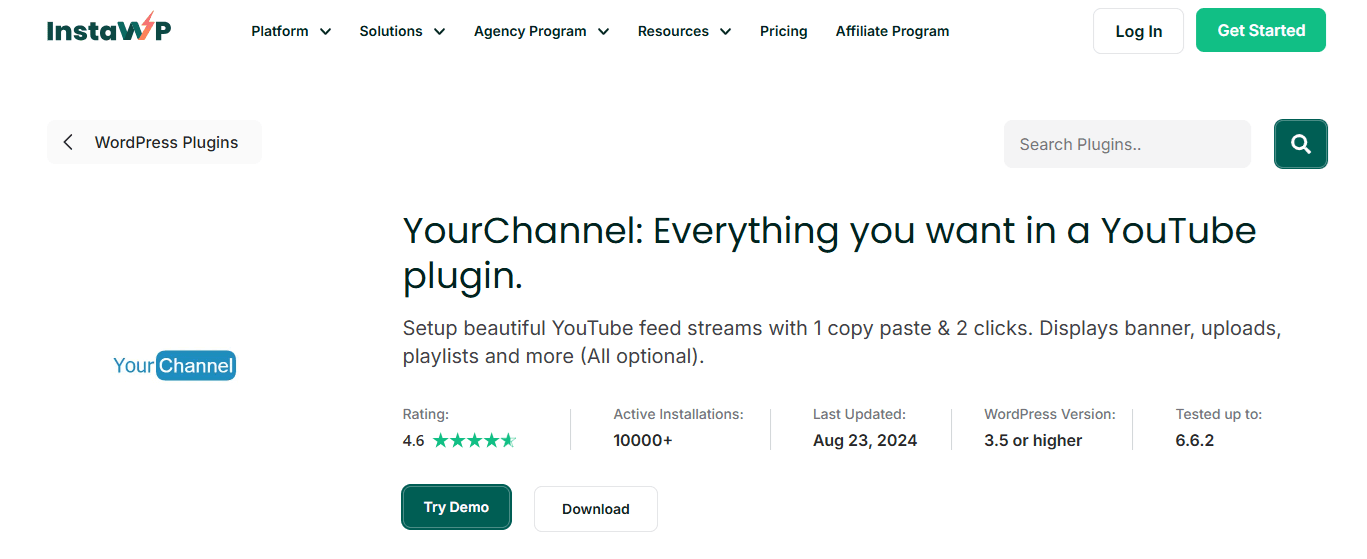
YourChannel is a WordPress plugin designed specifically for embedding YouTube videos and creating video galleries on your website. It allows you to display videos from your YouTube channel or playlists in a clean and organized layout.
The plugin automatically pulls videos from your channel and updates the gallery whenever you upload new content. You can customize the appearance of the gallery so it blends smoothly with your website design.
Key Features
YouTube channel embedding
Playlist support
Custom video gallery layouts
Responsive design
Pricing
YourChannel offers a free version of the plugin available in the WordPress plugin directory. The free version allows you to display videos from your YouTube channel, show uploaded videos, and embed single videos or playlists using a shortcode.
A Pro version is also available that adds more advanced features such as displaying videos from playlists, showing videos based on search terms, adding comments, and creating custom playlists using specific video IDs. Pricing for the Pro version varies depending on the license and additional features included.
Rating
Pros
Built specifically for YouTube video galleries
Automatically updates when new videos are published
Cons
Fewer multi platform features than social aggregators
How to choose the right YouTube WordPress plugin
Before choosing a YouTube WordPress plugin, think about how you want your videos to appear on your website.
Some plugins focus on simple video galleries, while others can display an entire YouTube channel or playlist automatically.
Customization is another factor to consider. The best plugins allow you to adjust layouts, colors, and spacing so the video feed matches your site design.
You may also want moderation tools so you can control which videos appear on your website.
Finally, look at pricing and ease of use. Many plugins offer free versions, while premium plans provide more advanced customization options.
Frequent asked questions
Can I embed a YouTube playlist?
Yes. Many YouTube WordPress plugins allow you to embed a YouTube playlist on your website. Once connected, the plugin pulls videos from that playlist and displays them in a gallery or feed that automatically updates when new videos are added.
Can I embed my YouTube channel on my website?
Yes. Most plugins allow you to connect your YouTube channel and display your latest uploads automatically. Visitors can browse and watch videos directly from your website without needing to go to YouTube.
Can I embed YouTube Shorts on my website?
Yes. With Curator, you can embed your YouTube channel and then manually approve Shorts content so it appears in your feed. This allows you to feature YouTube Shorts alongside your regular videos or only showcase Shorts instead.
Do YouTube plugins update automatically when I upload new videos?
Yes. Most YouTube website plugins automatically refresh the video feed when new content is published on your channel or playlist. This means your website stays updated without needing to manually embed each video.
Do I need coding skills to use a YouTube website plugin?
No. Most plugins are designed to be beginner friendly. After connecting your YouTube channel or playlist, the plugin provides a shortcode or embed code that you paste into your WordPress page or widget area.
Previous post: